Category: Uncategorized

  • How to Create a Complete Digital Asset Inventory in 5 Minutes

    How to Create a Complete Digital Asset Inventory in 5 Minutes

    The average person manages 168 personal passwords and over 160 online accounts. If something happened to you today, your family would be forced into a "digital scavenger hunt" that could last months.

    48% of Americans have left zero instructions for their digital accounts, and even those with traditional wills often overlook the digital side of their estate. The result? Frozen bank accounts, lost family photos, and legal battles over "terms of service" agreements that your heirs cannot bypass.

    At FinalKey Legacy Vault, we believe estate planning shouldn't take a weekend of filing. You can create a comprehensive digital asset inventory in under five minutes. Here is exactly how to do it.


    The Reality vs. The Preparation

    Most people think a will covers everything. It doesn’t. A will tells the world who gets your money; it doesn’t tell your family where the money is or how to log in to the account.

    The Reality (No Plan) The Preparation (FinalKey Legacy Vault)
    18+ Months of probate and court orders to access accounts. Instant Access for your designated heirs.
    Lost Assets: Forgotten life insurance or old bank accounts go to the state. 100% Visibility: Every account is identified and listed.
    Stress & Grief: Family members must guess passwords and answer security questions. Clarity & Peace: Your family has a direct "Live Link" to every portal.
    Security Risk: Paper lists or unencrypted files are vulnerable to theft. Zero-Knowledge Security: AES-256 encryption protects your data.

    Your 5-Minute Action Plan

    Creating a digital asset inventory used to involve spreadsheets and hours of manual typing. We’ve automated the process. Follow these three steps to secure your legacy before your coffee gets cold.

    Step 1: Run the Email Scanner (2 Minutes) 📧

    The biggest hurdle in digital estate planning is forgetting what you actually own. Old bank accounts, dormant investment platforms, and forgotten insurance policies often hide in your inbox.

    FinalKey Legacy Vault uses a secure Google OAuth Email Scanner to identify these accounts for you. It doesn't read your personal messages; it simply scans for "Welcome" or "Account Statement" headers from financial and service providers.

    • Action: Connect your primary email.
    • Result: A generated list of every account linked to your email address, categorized and ready to be imported into your vault.

    Step 2: Sync the Password Finder (2 Minutes) 🔑

    Once you know what you have, you need to provide access. Searching for a physical "password book" is a security nightmare and an administrative burden for your heirs.

    Our Password Finder imports your saved browser passwords directly into your FinalKey Legacy Vault. Instead of a messy list, these are organized into 11 specific categories, including:

    • Financial Accounts (Banking, 401k, Brokerage)
    • Legal Documents (Trusts, Wills, POA)
    • Home Security (Codes, Camera access)
    • Social Media & Photos

    A flat vector illustration of a digital vault drawer opening. Sage green and charcoal colors. Simple icons for a bank, a heart, and a document emerge from the drawer. Cream background, professional and clean aesthetic.

    Step 3: Set Your "Live Links" (1 Minute) 🔗

    A password is useless if your family doesn't know where to use it. This is where most digital inventories fail.

    Every entry in the FinalKey Legacy Vault includes a Live Link. This is a direct URL to the login or portal page of that specific asset. When your heir accesses your vault, they don't have to Google "where is the login for this obscure life insurance company?" They simply click the link, and they are exactly where they need to be.


    Why Speed and Automation are Essential

    56% of U.S. adults have no estate planning documents at all. The primary reason? It feels overwhelming.

    By using the automation tools within FinalKey Legacy Vault, you remove the friction of "getting started." You aren't just making a list; you are building a Business Command Center for your life.

    For online business owners, Shopify store owners, digital marketers, and freelancers, this is even more critical. Your business infrastructure (hosting, domains, ad platforms) can't wait months for a court order. Your heirs need to be able to keep the lights on immediately.

    A flat vector graphic showing a 'Command Center' interface. A sage green laptop screen displays simple charts and gear icons. Muted gold accents. Text-free, minimalistic design on a cream background.


    Zero-Knowledge Security: Your Data, Your Eyes Only

    We understand the gravity of storing your most sensitive information. This is why FinalKey Legacy Vault is built on a Zero-Knowledge Architecture.

    • AES-256 Encryption: We use the same encryption standards as military and banking institutions.
    • No Backdoors: We do not store your master password. We cannot read your data, and we cannot "reset" your vault to see what's inside.
    • One-Time Investment: Unlike competitors that charge expensive annual subscriptions (essentially holding your legacy hostage), we offer a simple one-time payment structure.

    Frequently Asked Questions

    Q: Is the Email Scanner safe?
    A: Yes. We use Google’s official OAuth protocol. We never see your password, and we never read the body of your emails. The scanner only looks for account identifiers to help you build your list.

    Q: What happens if I forget my master password?
    A: Because we use Zero-Knowledge encryption, we cannot recover your account if you lose your master key. We provide a secure recovery kit during setup that you should store in a physical safe or with your attorney.

    Q: Can I update my inventory later?
    A: Absolutely. You can run the scanner anytime to find new accounts or manually add "Emotional Assets," like digital photo albums or even family recipes.

    Q: Does this replace my legal will?
    A: No. FinalKey Legacy Vault is the execution layer of your estate plan. Your will says "who" gets your assets; your vault shows them "where" they are and "how" to get them.


    Stop the Scavenger Hunt Before It Starts

    The most important thing you leave behind isn't money; it's clarity. Don't leave your family with a 18-month legal headache and a pile of locked devices.

    Take 5 minutes today to automate your digital legacy. It is the single most practical gift you can give the people you love.

    Build Your Vault Now at FinalKeyLegacyVault.com

    A minimalistic golden key icon resting on a sage green background. Flat design, clean lines, professional aesthetic. Represents the 'FinalKey' to a secured legacy.

  • Are Paper Password Lists Bad? (And What to Do Instead)

    Are Paper Password Lists Bad? (And What to Do Instead)

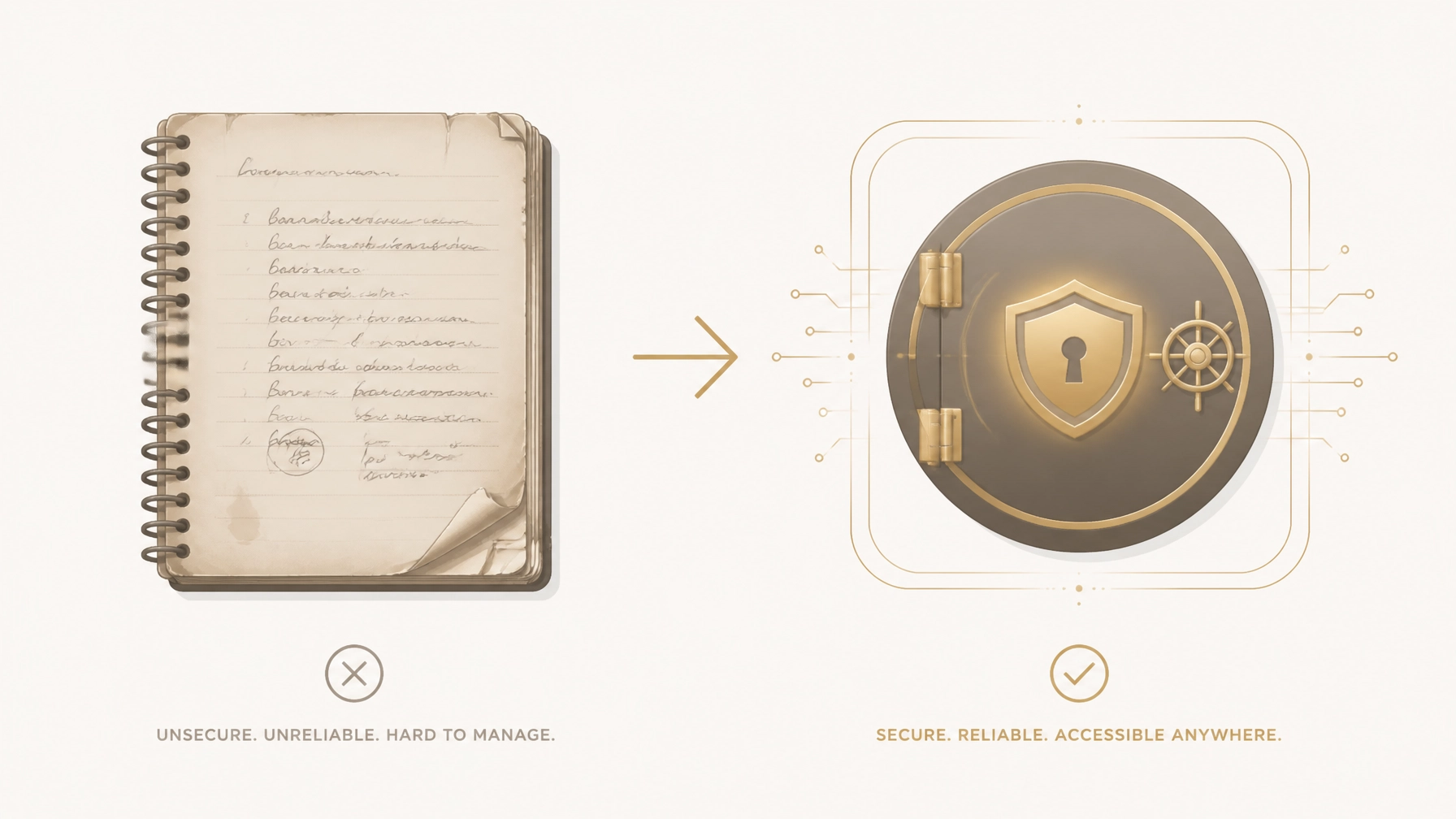
    For decades, the "hidden" notebook in the top dresser drawer or the post-it note stuck under the keyboard was the gold standard for password management. It felt safe because it was physical. It felt secure because it wasn't "on the internet."

    The reality is far more dangerous.

    Security experts now warn that 80% of data breaches are caused by weak or reused passwords: a direct result of trying to remember complex logins or relying on physical lists that can't be updated easily. If you are still using a paper list to manage your life, you aren't just risking a minor inconvenience; you are leaving your entire financial and digital legacy vulnerable to physical destruction, theft, and an "Account Archaeology" that will haunt your heirs for years.

    In this guide, we will break down why your paper list is a ticking time bomb and how a digital legacy vault like the FinalKey Legacy Vault provides a professional, zero-knowledge solution to protect your family’s future.


    The Myth of the "Safe" Paper Notebook

    Many people believe that keeping passwords offline protects them from hackers in Russia or China. While it’s true that a piece of paper cannot be "brute-forced" by a botnet, it suffers from zero encryption and zero access control.

    The Physical Liability

    If a stranger enters your home: whether it’s a contractor, a guest, or a burglar: a paper list is a "map to the kingdom." It takes exactly three seconds for someone to snap a photo of your password list with a smartphone. They don't need to steal the notebook; they just need the image. From that moment, your bank accounts, retirement funds, and identity are compromised, and you won't even know it happened until your accounts are drained.

    The Risk of Total Loss

    Unlike digital data, paper is fragile. Fire, flood, or simple misplacement can result in the permanent loss of your digital access.

    • Fire: A standard house fire reaches 1,100°F in minutes. Paper ignites at 451°F.
    • Theft: If your house is robbed, a notebook is often grabbed as a high-value item because thieves know it contains "the keys."
    • Loss: As we age, "safe places" become harder to remember. A notebook tucked away for "safekeeping" often becomes a lost asset that prevents you from accessing your own life.

    Visual representation of physical risks like fire and loss vs. digital encryption


    Why Paper Lists Fail Your Family (The Account Archaeology)

    The greatest risk of a paper password list isn't what happens while you are alive: it’s the chaos it leaves behind when you pass away.

    When an estate executor or a grieving spouse tries to wrap up your affairs, they need immediate access to your accounts. If your "system" is a scribbled notebook, they are forced into an 18-month nightmare of legal hurdles.

    1. The Decryption Problem: Is that a "1" or an "l"? A "0" or an "O"? Handwritten errors lead to locked accounts and permanent lockouts.
    2. The Location Problem: If they can't find the notebook, they have to file for court orders (Letters of Testamentary) for every single bank and service provider.
    3. The Dead Link Problem: Paper doesn't tell your family where the account is. It just provides a username and password. They still have to hunt for the login portal, the bank's specific URL, or the insurance company’s claim page.

    The Solution: The FinalKey Legacy Vault uses "Live Links." Every entry in your vault includes a direct link to the login page, so your family doesn't have to search for where accounts live. They simply click and enter.


    "The Reality" vs. "The Preparation"

    Is your current method enough to protect your family? Compare the two approaches below:

    Feature Paper Password List FinalKey Legacy Vault
    Encryption None (Plain Text) AES-256 Zero-Knowledge
    Accessibility Only where the paper is Encrypted access from anywhere
    Searchability Flip through pages Instant Search & Categorization
    Disaster Recovery None (Lost if burned) Secure, encrypted cloud backup
    Heir Handoff "Account Archaeology" One-click emergency access
    Updates Messy scribbles/crossing out Auto-sync with Email Scanner

    How to Secure Digital Assets the Modern Way

    The transition from paper to a digital legacy vault doesn't have to take hours. In fact, most people can organize their entire digital life in under 10 minutes.

    1. Stop Using Memory or Paper

    Memorable passwords are crackable passwords. To truly secure your assets, you need complex, unique strings for every site. A digital vault stores these for you so you never have to remember them.

    2. Use a Zero-Knowledge System

    Security is only as good as the company's privacy policy. The FinalKey Legacy Vault is built on a Zero-Knowledge architecture. This means your data is encrypted on your device before it ever reaches our servers. We cannot read your passwords, see your bank details, or access your photos. Even if we were subpoenaed, we would have nothing to give because we don't hold the key: you do.

    3. Automate the Inventory

    The hardest part of moving off paper is remembering everything you have. This is where FinalKey shines. Our Email Scanner uses Google OAuth to identify and categorize forgotten accounts: bank accounts, subscriptions, insurance, and utilities: from your inbox. It turns a month-long project into a 2-minute automated scan.

    FinalKey Vault Drawers Overview showing organized categories


    Your 10-Minute Action Plan

    Don't wait for a "close call" to change your habits. Follow these steps today:

    1. Stop Writing New Passwords Down: If you create a new account today, put it directly into a secure vault.
    2. Scan Your Inbox: Use the FinalKey Email Scanner to find all your existing accounts. You’ll be shocked at how many "ghost subscriptions" and old bank accounts you’ve forgotten.
    3. Identify Your "Critical Five": Ensure your primary bank, your primary email, your mortgage/rent portal, your life insurance, and your phone provider are in the vault first.
    4. Designate a Legacy Contact: Use our guide on digital accounts after death to understand who needs access and how to set them up.

    Why FinalKey Legacy Vault?

    Unlike traditional password managers that charge you $40–$100 every single year, FinalKey operates on a one-time payment structure. We believe your legacy shouldn't be held hostage by a subscription.

    We focus on more than just "logins." We provide a centralized command center for your entire life, including:

    • Financial Accounts: Banks, 401ks, and crypto.
    • Final Arrangements: Memorial wishes and funeral service instructions.
    • Business Infrastructure: For Shopify store owners and digital marketers, a way to hand off hosting and ad platforms to a partner.

    FinalKey Business Command Center Feature


    Frequently Asked Questions (FAQ)

    Is a digital vault harder to use than paper?

    Actually, it’s easier. With our browser extensions and mobile app, your passwords "autofill" when you visit a site. No more squinting at your own handwriting or re-typing 20-character strings.

    What happens if FinalKey goes out of business?

    Because we use Zero-Knowledge AES-256 encryption, you can export your data at any time. We even provide a guide on exporting passwords to ensure you are never locked into our ecosystem.

    Can't hackers just get into the vault?

    To get into your FinalKey Legacy Vault, a hacker would need your unique master password and your physical two-factor authentication device. This is infinitely harder than someone simply picking up a notebook from your desk.

    Does this replace my Will?

    No. A Will handles the legal transfer of property, but it does not provide the technical access to accounts. You need both. Think of your Will as the legal right to the house, and the FinalKey Legacy Vault as the keys to the front door.


    Protect your family from the "Account Archaeology." Stop relying on the fragility of paper and start building your secure legacy today.

    Get Started with FinalKey Legacy Vault

  • Looking For a Digital Estate Checklist? Here Are 10 Things You Should Know

    Looking For a Digital Estate Checklist? Here Are 10 Things You Should Know

    The average person has over 150 online accounts. Yet, according to industry surveys, fewer than 15% of adults have a plan for what happens to those accounts after they pass away.

    Without a plan, your family is left with a "Digital Jigsaw Puzzle", a stressful, months-long ordeal of guessing passwords, calling customer service lines, and petitioning courts just to close a bank account or save a family photo. This isn't just an inconvenience; it’s a financial and emotional risk. Billions of dollars in life insurance benefits and bank balances go unclaimed every year because heirs simply didn't know the accounts existed.

    If you want to protect your family from this chaos, you need a definitive plan. Use this digital estate checklist to move from "scattered" to "secured" in under 10 minutes with the FinalKey Legacy Vault.


    1. Financial Accounts & Digital Wallets 🏦

    Most people assume their family knows where the money is. The reality? Between online-only banks, PayPal, Venmo, and crypto exchanges, assets are more hidden than ever.

    • The Problem: If an account isn't documented, it effectively doesn't exist to your heirs.
    • The Checklist: Inventory every checking, savings, brokerage, and digital payment account (like Stripe or Venmo).
    • The Solution: Use the FinalKey Legacy Vault Email Scanner to automatically identify forgotten financial accounts linked to your inbox.

    2. Insurance Policies (Life, Home, Auto) 🛡️

    Insurance is meant to provide peace of mind, but it can't help if your beneficiaries can't find the policy number or the provider.

    • The Prep: List the provider, policy number, and a Live Link to the login portal.
    • What happens without it: Families often pay premiums for months on policies that should have been claimed, simply because they didn't know the policy existed.

    FinalKey Vault Drawers Overview showing categories like Final Wishes and Bank Accounts

    3. Legal Documents (Wills, Trusts, POA) ⚖️

    A will is useless if it’s locked in a digital folder no one can access.

    • The Reality: Probate is public, slow, and expensive. Your digital estate plan should complement your legal documents, providing the "keys" to the doors your lawyer has identified.
    • Action Plan: Upload digital copies of your Will, Living Trust, and Power of Attorney into a secure online vault for families.

    4. Final Arrangements & Memorial Plans 🕊️

    Do you want a traditional service or a celebration of life? Do you have a prepaid funeral plan?

    • The Stressor: Family members often make expensive, hurried decisions during the first 48 hours of grief because they don't know your wishes.
    • How to Prepare: Store your "Final Arrangements" instructions in a dedicated category where they can be accessed instantly by your designated beneficiaries.

    5. Online Business Infrastructure 💻

    For e-commerce and Shopify store owners, your digital estate is your business.

    • The Stake: If your hosting, domain, or ad platform (Meta/Google Ads) goes down because a payment failed, your business value can vanish overnight.
    • The Solution: Use a Business Command Center to centralize infrastructure logins. This ensures a partner or heir can keep the lights on without a 3-week "account recovery" battle.

    FinalKey Business Command Center highlighting Shopify and infrastructure management

    6. Home Security & Utility Logins 🏠

    Modern homes are "smart." If you handle the Nest thermostat, the Ring camera, and the electric bill, your family could be literally locked out of their own climate control or security system.

    • Common Mistake: Relying on a single person’s phone for 2-Factor Authentication (2FA) for home utilities.
    • Fix It: Log these service portals in your FinalKey Legacy Vault so your spouse or adult children have immediate access.

    7. Subscriptions & "Ghost Payments" 👻

    The average household spends over $200 a month on subscriptions. Without a list, these "ghost payments" will continue to drain your estate’s bank account for months after you're gone.

    • The Prep: Identify every recurring SaaS, streaming service, and membership.
    • FinalKey Advantage: Our scanner finds these hidden subscriptions so you can list them for quick cancellation.

    8. Photos & Cloud Storage 📸

    Your most valuable assets aren't always financial. They are the decades of family photos stored in Google Photos or iCloud.

    • The Risk: Without a digital inheritance plan, these photos may be permanently deleted after a period of inactivity.
    • Action: Document which cloud services you use and who should have the "download all" rights.

    9. Social Media & Legacy Contacts 📱

    Platforms like Facebook and Instagram have "Legacy Contact" settings, but they are often buried and difficult to set up.

    • The Myth: "My family can just log into my Facebook."
    • The Correction: Most platforms forbid "sharing" passwords in their Terms of Service. It’s better to use a vault to provide legal, organized access.

    10. The "Master Key" (Zero-Knowledge Security) 🔑

    The most important item on your checklist is how you store the other nine. Writing passwords on a piece of paper is a security risk, and traditional "password managers" are often too complex for an executor to use during a crisis.

    • The Solution: You need an encrypted, zero-knowledge vault.
    • FinalKey Security: We use AES-256 encryption. We cannot read your data. Only you and your chosen beneficiaries hold the keys.

    FinalKey Security and Encryption Feature highlighting AES-256


    The Reality vs. The Preparation

    Feature The Reality (No Plan) The Preparation (FinalKey)
    Asset Discovery Months of "Digital Jigsaw Puzzle." 10-minute automated setup.
    Account Access Locked accounts and 2FA nightmares. Live Links to every login portal.
    Security Passwords on sticky notes or in unencrypted files. Zero-Knowledge AES-256 Encryption.
    Cost Expensive annual subscriptions ($100+/year). One-time payment. No recurring fees.

    5-Minute Action Plan: Start Your Vault Today

    Don't let "I'll do it later" turn into a crisis for your family.

    1. Visit FinalKey.app and create your account.
    2. Run the Email Scanner: Link your Gmail/Outlook to instantly find your 50+ most important accounts.
    3. Assign a Beneficiary: Choose the person you trust most to receive access if something happens to you.
    4. Done. You’ve just saved your family months of stress.

    Minimalist illustration of a digital estate checklist on a clipboard


    Frequently Asked Questions

    Is FinalKey just a password manager?
    No. Password managers (like LastPass or 1Password) are for you to use every day. FinalKey Legacy Vault is designed for your family to use when you can't. We focus on organizational clarity, 11 specific asset categories, and "Live Links" that tell heirs exactly where to go.

    What if I change my passwords later?
    FinalKey provides the portal links and account names. While you can store passwords, the most important part is the "map" of your digital life. If you use our Password Finder, updating is as simple as a 2-minute refresh.

    Can FinalKey see my data?
    Absolutely not. We use Zero-Knowledge Architecture. Your data is encrypted on your device before it ever reaches our servers. We don't have the "master key": only you and your designated heirs do.

    Why a one-time payment instead of a subscription?
    Legacy planning shouldn't be a "bill for life." We believe you should pay once to secure your vault and never worry about it again. It's an investment in your family's future, not a recurring expense.


  • The Simple Trick to Organize Financial Accounts for Heirs Right Now

    The Simple Trick to Organize Financial Accounts for Heirs Right Now

    Most people believe their estate plan is "finished" once they sign a will or a trust. This is a dangerous misconception. While your will may dictate who gets your assets, it doesn't tell your family where those assets are or how to access them.

    Without a clear map, your grieving family is forced into a Digital Jigsaw Puzzle. They are left guessing which banks you used, which insurance policies are active, and which recurring "ghost subscriptions" are quietly draining your estate’s cash.

    The reality? Over $50 billion in unclaimed property is currently held by U.S. state governments, much of it because heirs simply didn't know the accounts existed.

    The good news is that you don’t need to spend weeks building a spreadsheet. There is a simple, automated trick to organize your financial accounts for heirs in under 10 minutes using the FinalKey Legacy Vault.


    The Nightmare of the "Digital Jigsaw Puzzle"

    When someone passes away without a digital map, the burden on the family is immense. They aren't just dealing with loss; they are dealing with a logistical puzzle that can take 18 months or more to solve.

    The Manual Way (Months of Stress) The FinalKey Legacy Vault Way (10 Minutes)
    Hunting for Paper: Sifting through old mail and filing cabinets for bank statements. Automated Discovery: Email Scanner identifies every financial account in minutes.
    Password Guessing: Trying to unlock phones and laptops to find login info. Centralized Access: Password Finder imports and organizes every login securely.
    Missed Accounts: Forgetting about that old 401(k) or life insurance policy. 60+ Smart Patterns: Scans for specific keywords to catch hidden assets.
    Subscription Drain: Automatic renewals continue to charge the estate. Categorized List: Immediate visibility into every active subscription to cancel.

    The "Simple Trick": Leveraging Automation

    The secret to how to organize your digital life effectively isn't manual entry, it’s automation. Most of our financial lives leave a digital footprint in our inboxes. The FinalKey Legacy Vault uses two primary tools to do the heavy lifting for you.

    1. The Email Scanner: Your Digital Detective

    The most powerful tool in your arsenal is the FinalKey Email Scanner. By connecting via a secure, read-only Google OAuth link, the scanner reviews the last two years of your email history.

    It doesn't "read" your personal messages. Instead, it looks for specific signals from over 60 smart patterns, notifications from banks, investment platforms, insurance providers, and utility companies. Within seconds, it generates a list of every account you’ve interacted with, ensuring nothing is left behind for the state to claim.

    Illustration showing an automated scanner turning a mess of emails into organized financial folders.

    2. The Password Finder: Eliminating the Locked-Out Scenario

    Even if your heirs know you have an account at Chase or Vanguard, they still need to get in. The FinalKey Legacy Vault includes a Password Finder that allows you to import CSV files from Chrome, Firefox, or Safari. It automatically categorizes these logins into 11 distinct "vault drawers," ranging from financial accounts to social media and home security.


    Your 10-Minute Action Plan

    Ready to secure your legacy? Follow this micro-guide to turn your scattered digital life into an organized fortress today.

    1. Step 1: Secure Your Vault. Set up your FinalKey Legacy Vault account. Unlike other services that charge high monthly fees, we offer a one-time payment structure to keep your legacy affordable.
    2. Step 2: Run the Email Scanner. Connect your primary Gmail account. Let the AI identify your banks, insurance, and subscriptions.
    3. Step 3: Import Your Passwords. Export your saved passwords from your browser and upload them. Watch as they are automatically sorted into the correct categories.
    4. Step 4: Review and Link. Use our "Live Links" feature. Every entry in your vault includes a direct link to the login portal. This means your family won't just have the password; they’ll have the exact "front door" to the account.
    5. Step 5: Designate Your Heirs. Choose exactly who gets access to which "drawer." You can give your spouse access to the bank accounts while leaving your digital marketing infrastructure to your business partner.

    The FinalKey mobile interface showing organized vault drawers for financial accounts, passwords, and final wishes.


    Why "Live Links" and Zero-Knowledge Matter

    Many people think a standard password manager is enough. It isn't. A password manager is built for you; a FinalKey Legacy Vault is built for them.

    • Live Links: If your family doesn't know that your crypto is on a specific exchange or that your life insurance is through a specific portal, a password alone is useless. We provide the direct URL for every asset.
    • Zero-Knowledge Security: We use AES-256 encryption. This means your data is encrypted before it even leaves your device. We cannot see your passwords, and we cannot read your data. Your privacy is absolute.

    Graphic highlighting the AES-256 encryption and zero-knowledge architecture of the vault.


    Framing the Solution: Investment vs. Expense

    Estate planning is often seen as a chore or a cost. In reality, it is an investment that prevents massive financial loss.

    Service Price (5-Year Cost)
    Trustworthy ~$2,400 ($480/year)
    Everplans ~$750 ($150/year)
    FinalKey Legacy Vault $207 (One-time $127 + $20/year maintenance)

    By choosing a one-time payment model, you ensure that your digital map stays alive without becoming a recurring burden on your budget.


    Frequently Asked Questions

    Is the Email Scanner safe?
    Yes. We use Google’s official OAuth process. FinalKey is granted "read-only" access to identify account patterns. We do not store your emails, and our team cannot read your personal correspondence.

    What if I have an online business?
    The FinalKey Legacy Vault is specifically designed for online business owners. You can store credentials for Shopify, Stripe, domain registrars, and hosting providers in a dedicated "Business Command Center" drawer, ensuring your business survives even if you aren't there to run it.

    Can I change my beneficiaries later?
    Absolutely. You have full control over who has access and can update your designated contacts at any time.


    Don't Leave a Digital Jigsaw Puzzle Behind

    The most important thing you leave behind isn't money; it’s clarity. By taking 10 minutes today to organize financial accounts for heirs, you are saving your family from months of legal headaches, lost assets, and emotional exhaustion.

    Stop the "Digital Jigsaw Puzzle" before it starts. Secure your legacy with the FinalKey Legacy Vault.

    Get Started with FinalKey Today

    A minimalist house silhouette with a golden shield, representing a secured family legacy.

  • Apple Legacy Contact Vs. Digital Legacy Vault: Which Is Better For Your Estate Plan?

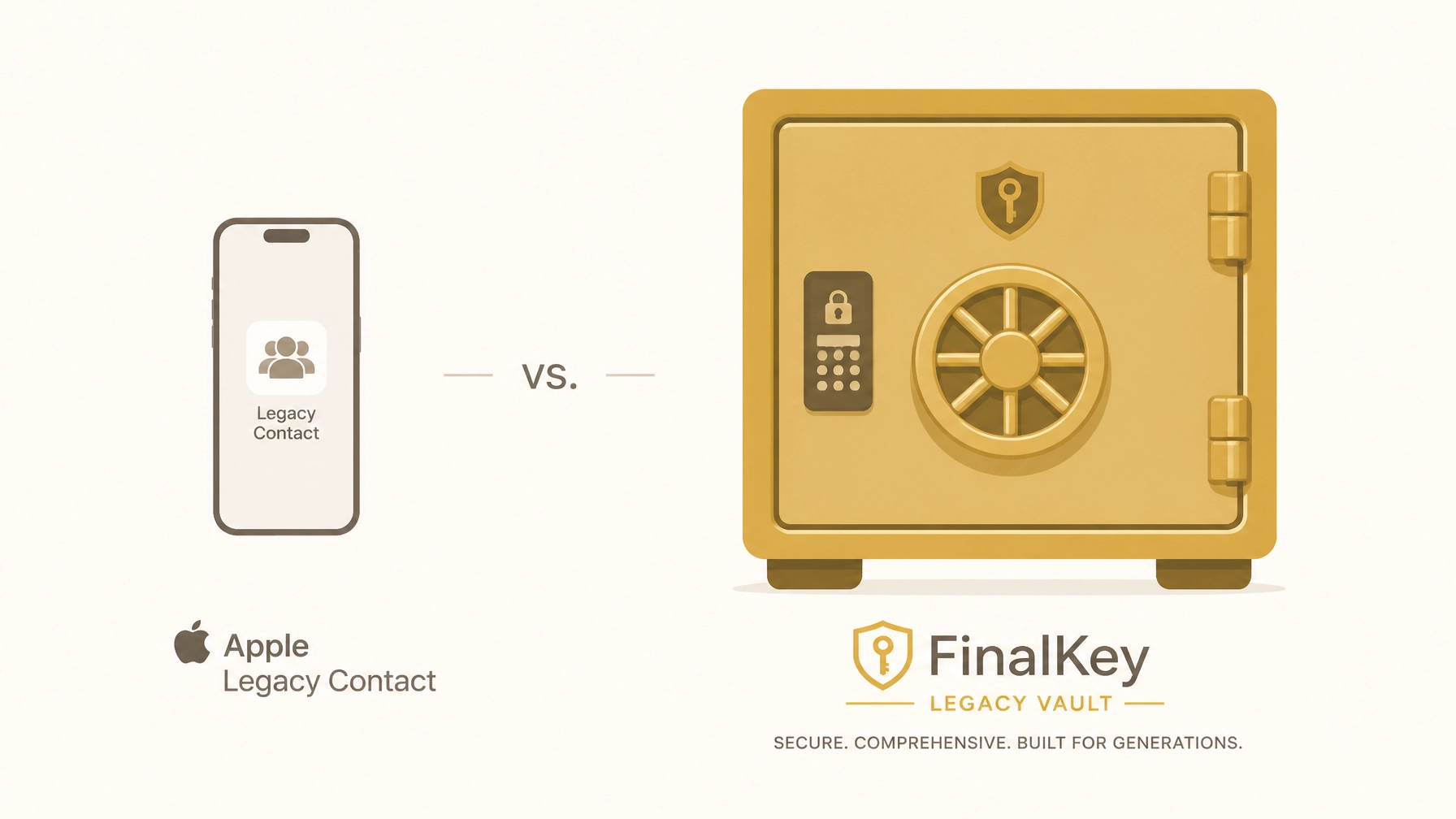
    Apple Legacy Contact Vs. Digital Legacy Vault: Which Is Better For Your Estate Plan?

    Most people believe that having a will or a trust is enough to protect their family. It isn't. In the digital age, your most valuable information is hidden behind layers of encryption, two-factor authentication, and "Terms of Service" agreements that legally terminate your rights the moment you stop breathing.

    If you are an Apple user, you might have heard of the Apple Legacy Contact feature. While it is a step in the right direction, relying on it as your sole estate planning tool is a dangerous gamble. In fact, Apple’s feature ignores nearly 90% of your digital footprint, including your bank logins, password managers, and business infrastructure.

    Without a comprehensive system like the FinalKey Legacy Vault, your family is headed for a "Digital Jigsaw Puzzle" that could last years and cost thousands in legal fees.

    The Reality: What Apple Legacy Contact Actually Does (and Doesn’t) Do

    Apple Legacy Contact allows you to designate a person to access your iCloud data after you pass away. It sounds simple, but the fine print is alarming.

    The "All-or-Nothing" Problem

    When your Legacy Contact finally gets access (which requires a death certificate and a court-reviewed access key), Apple grants them access to your photos, messages, and notes. However, it explicitly excludes your iCloud Keychain.

    This means your heir will have your vacation photos, but they will not have the password to your bank account, your life insurance portal, or your crypto wallet.

    The 3-Year Deletion Timer

    Once Apple approves a Legacy Contact request, your original account is essentially flagged for termination. After a period (typically three years), Apple reserves the right to permanently delete the account and all data within it. If your family hasn't managed to extract everything or resolve the probate process within that window, that data is gone forever.

    The Ecosystem Trap

    Apple Legacy Contact only works for Apple services. It does nothing for your Amazon account, your Spotify subscription, your Shopify store, or your external hard drives. For a modern head of household or online business owner, this is a massive oversight.

    FinalKey Vault Drawers showing categories like Final Wishes and Bank Accounts

    The Solution: Why a Digital Legacy Vault is Mandatory

    A secure online vault for families, specifically the FinalKey Legacy Vault, is designed to bridge the gap that big tech leaves behind. Instead of just "sharing photos," a vault serves as a centralized command center for your entire life's infrastructure.

    1. The 11 Essential Asset Categories

    While Apple looks at "data," the FinalKey Legacy Vault looks at "assets." Our vault organizes your life into 11 distinct categories, ensuring nothing is missed:

    • Financial Accounts: Checking, savings, and brokerage details.
    • Insurance Policies: Life, home, and auto insurance portals.
    • Legal Documents: Digital copies of your will, trust, and POA.
    • Home Security: Access to cameras, smart locks, and alarms.
    • Online Businesses: Hosting, domains, and payment processors.
    • Social Media: Instructions for memorialization or deletion.
    • Final Arrangements: Memorial wishes and pre-paid funeral plans.

    2. Live Links: The End of the Scavenger Hunt

    The biggest hurdle for heirs isn't just knowing a password; it’s knowing where the account is located. FinalKey Legacy Vault includes "Live Links." Every entry in your vault features a direct link to the specific login or portal page. Your family doesn't have to guess if you use Chase or Wells Fargo; they simply click and proceed.

    Illustration of Live Links connecting to various financial and social icons

    Side-by-Side: Apple Legacy Contact vs. FinalKey Legacy Vault

    Feature Apple Legacy Contact FinalKey Legacy Vault
    Scope iCloud Data only (Photos, Mail, Notes) Your entire digital life (11 categories)
    Passwords No. Keychain is excluded Yes. Full password integration
    Financial Access No. No bank or insurance info Yes. Direct links to portals
    Business Assets No. Yes. Domains, hosting, payment processors
    Complexity Manual setup per device Automated via Email Scanner
    Privacy Apple holds the keys Zero-Knowledge (Only you and heirs have access)
    Pricing Free (but limited) One-time payment (No subscriptions)

    The Security Myth: Is it Safe?

    Many people hesitate to put all their "eggs in one basket" because they fear a data breach. This is a logical concern, but it’s solved through Zero-Knowledge Security.

    The FinalKey Legacy Vault uses AES-256 encryption. This means your data is encrypted on your device before it ever reaches our servers. We do not have your master password. We cannot see your bank account numbers. We cannot read your final wishes. Even if our servers were compromised, the data would be useless "digital noise" to an intruder.

    You own the keys. Your family gets the keys. We just provide the vault.

    Security graphic showing AES-256 and zero-knowledge architecture

    Why Business Owners Need More Than a Password Manager

    If you own an e-commerce store, a YouTube channel, or a digital marketing agency, your business is a collection of dozens of "invisible" assets. If you pass away, your Shopify store keeps charging customers, your hosting bill comes due, and your domain might expire.

    A standard password manager (like LastPass or 1Password) is built for daily convenience, not for legacy handoff. They often lack the context required for a partner or heir to step in and keep the business running. FinalKey Legacy Vault acts as a Business Command Center, providing the "how-to" alongside the "login" so your business doesn't collapse during a family crisis.

    Graphic showing FinalKey as a Business Command Center for Shopify and Stripe

    Action Plan: Secure Your Legacy in 10 Minutes

    Preparation doesn't have to be a multi-month project. You can stop the "Digital Jigsaw Puzzle" today by following these steps:

    1. Run the Email Scanner: Use the FinalKey Legacy Vault automated scanner to identify every account tied to your primary email address. This turns 10 years of "forgotten" accounts into an organized list in under 5 minutes.
    2. Import Your Passwords: Use our guide to export browser passwords and import them directly into your secure vault.
    3. Designate a Beneficiary: Choose one or two trusted individuals who will receive access to your vault if something happens to you.
    4. Reference the Vault in Your Will: Tell your attorney that your digital asset inventory is stored within the FinalKey Legacy Vault. This provides legal clarity for your executor.

    Frequently Asked Questions

    Q: Can't I just write my passwords on a piece of paper?
    A: You can, but paper doesn't update when you change your password. It also doesn't include 2FA codes or the "Live Links" needed to find the account. Paper is easily lost, stolen, or destroyed in a fire.

    Q: Does Apple Legacy Contact cost anything?
    A: No, it's free. We actually recommend you set it up as a backup for your photos, but it should never be your primary strategy for financial or business assets.

    Q: What happens if I forget my master password?
    A: Because we use Zero-Knowledge architecture, we cannot reset your password. You will be provided with a physical recovery key during setup. You must keep this in a safe place (like a physical safe or with your attorney).

    Q: Is FinalKey a subscription service?
    A: No. We believe legacy planning should be a permanent fix, not a monthly bill. We offer a simple one-time payment structure that gives you lifetime access to the vault.

    The most important thing you leave behind isn't money. It's clarity. Don't leave your family with a locked phone and a mountain of questions. Build your FinalKey Legacy Vault today.


  • Digital Assets After Death Explained: What Your Heirs Can (and Can’t) Legally Access

    Digital Assets After Death Explained: What Your Heirs Can (and Can’t) Legally Access

    Most people believe that if they leave their laptop password on a sticky note, their family is "covered." They are wrong.

    The reality is that your digital life is governed by a complex web of federal privacy laws, state statutes, and iron-clad "Terms of Service" agreements that don't care about your sticky note. Without a proactive plan, your heirs will face "Afterlife Admin" that can take months, or years, to resolve in court.

    In this guide, we break down the legal reality of digital inheritance and why the FinalKey Legacy Vault is the only way to ensure your family isn't locked out of your life’s work.


    The $10,000 Roadblock: Why "Standard" Estate Planning Fails

    90% of traditional estate plans completely ignore digital assets. While a will might cover your house and your car, it rarely grants legal access to your email, cloud storage, or business infrastructure.

    The Problem: Federal Privacy Laws

    The Stored Communications Act (SCA) was designed to protect your privacy, but it often acts as a brick wall for grieving families. Even if an executor has a court order, many providers (like Google, Microsoft, and Yahoo) will refuse to release the "content" of your communications unless they have your explicit, written consent provided while you were alive.

    The Solution: Explicit Authorization

    To bypass these federal protections, you must provide clear authorization. Simply telling your spouse "you know my passwords" isn't enough for a tech giant's legal department. You need a system that proves you intended for them to have access.

    FinalKey Legacy Vault Quote on Clarity


    "Licensed, Not Owned": The Digital Inheritance Myth

    One of the most shocking realizations for heirs is that much of what you "bought" online cannot actually be inherited.

    • Kindle Books & iTunes Music: You don't own these; you own a non-transferable license. When you die, the license expires. Your family cannot legally "inherit" your 5,000-book digital library.
    • Social Media Handles: Your Instagram or Twitter handle is "property" of the platform. Unless you are a high-value influencer with a specific contract, the account usually dies with you.
    • Cryptocurrency: If your private keys are lost, no court in the world can retrieve your funds. This is a technical roadblock that legal systems cannot solve.

    The Preparation vs. The Reality

    Category The Reality (No Plan) The Preparation (With FinalKey)
    Email Access Requires a court order and months of legal back-and-forth. Heirs use Live Links in your vault to log in immediately.
    Online Business Revenue stops; hosting expires; domains are lost. Partners have full access to the Business Command Center.
    Photos/Videos Trapped behind 2FA or cloud encryption forever. Your family has the master decryption key to your secure vault.
    Bank Accounts Go to "escheatment" (state custody) if unclaimed. Heirs see a full map of all accounts via the Email Scanner.

    RUFADAA: The Law Every Head of Household Must Know

    As of 2024, 48 U.S. states have adopted the Revised Uniform Fiduciary Access to Digital Assets Act (RUFADAA). This law creates a strict hierarchy for who gets access to your digital life:

    1. Online Tools: If a company offers a "Legacy Contact" tool (like Apple or Google), that tool overrides everything else, including your Will.
    2. Explicit Consent: If no online tool was used, the instructions in your Will or Trust take over.
    3. Terms of Service: If you didn't use an online tool AND didn't mention digital assets in your Will, the company's "Terms of Service" (which almost always favor privacy over access) are the final word.

    The Warning: If you haven't specifically designated access, your family is at the mercy of a customer support bot in a different time zone.


    Why Big Tech "Legacy Tools" Aren't Enough

    Apple and Google have made strides with "Legacy Contacts," but they are far from a complete solution.

    • They are siloed: Apple’s tool only helps with Apple data. It won't help your family access your Shopify store, your crypto wallet, or your insurance portal.
    • They are limited: Most legacy tools only provide "content" (photos/emails) but don't give "control" (the ability to pay a bill or manage a subscription).
    • They require "Death Certificates": Your family has to wait for a certified death certificate (which can take weeks) and then wait for the tech company to verify it.

    FinalKey Legacy Vault acts as a centralized "Command Center" that bypasses these silos. By using our Live Links, your heirs have direct access to the login portals they need, the moment they need them.

    FinalKey Vault Interface showing categories


    The "Afterlife Admin" Action Plan

    Don't leave your family with a 12-month legal battle. Follow this 5-minute micro-guide to secure your digital legacy today:

    1. Map Your World: Use the FinalKey Email Scanner to automatically identify your financial accounts, insurance policies, and recurring subscriptions.
    2. Organize by Category: Use our Digital Estate Checklist to ensure you haven't missed obscure assets like domain names or reward points.
    3. Appoint a Digital Executor: Choose a trusted person and give them "Emergency Access" to your FinalKey Legacy Vault.
    4. Update Your Will: Ensure your Will mentions your digital assets and references your FinalKey Legacy Vault as the source of truth for access.
    5. Review Beneficiaries: Check your beneficiary designations for all financial platforms to ensure they match your digital vault instructions.

    Zero-Knowledge Security: Protecting You While You're Alive

    We understand that storing your entire digital life in one place sounds risky. That’s why the FinalKey Legacy Vault is built on Zero-Knowledge Architecture.

    • AES-256 Encryption: Your data is encrypted before it ever leaves your device.
    • We Can't See Anything: Because we don't hold your master key, we cannot read your data. If a government or hacker asks us for your info, we literally have nothing to give them.
    • One-Time Payment: Unlike competitors that charge monthly "death taxes" (subscriptions), FinalKey is a one-time investment. Once your vault is built, it’s yours forever.

    Security and Encryption Graphic


    Frequently Asked Questions

    🏦 Does a Will cover my digital accounts?

    In most cases, no. Most standard Wills are too vague for tech companies. Under RUFADAA, if you haven't provided "explicit consent," companies will often block your executor to avoid legal liability.

    🔑 Can't I just give my family my master password?

    You can, but it’s risky. If you change your password and forget to tell them, they are locked out. Furthermore, if you use Two-Factor Authentication (2FA) tied to your phone, they won't be able to log in even with the password unless they also have your physical device and its passcode.

    ⚖️ Is digital inheritance legally binding?

    Yes, but only if documented correctly. Using a service like FinalKey Legacy Vault combined with a mention in your legal estate documents creates a clear, legally defensible path for your heirs to follow.

    ⏳ How long does it take to set up?

    With our automated Email Scanner and Password Finder, most users can organize 100+ accounts into a structured vault in under 10 minutes.


    The Bottom Line: Preparation is a Gift

    Your digital legacy is more than just "data." It is your family’s financial security, your business’s continuity, and your life’s memories. Don't let the legal red tape of Big Tech turn your passing into a nightmare for the people you love.

    Stop the Afterlife Admin before it starts. Build your FinalKey Legacy Vault today.

  • How to Avoid the Biggest “Ghost Subscription” Pitfalls: A Guide to Organizing Financial Accounts

    How to Avoid the Biggest “Ghost Subscription” Pitfalls: A Guide to Organizing Financial Accounts

    When a loved one passes away, the family is often plunged into an exhausting "Account Archaeology." While they are grieving, they are also forced to play detective: tracking down bank accounts, hunting for insurance policies, and identifying recurring charges that don't stop just because someone is gone.

    These are "Ghost Subscriptions": recurring digital payments that continue to drain an estate’s funds for months or even years after a death. Without a centralized system, these tiny leaks can lead to massive financial loss and a logistical nightmare for your heirs.

    The hard reality: Most people have over 20+ recurring subscriptions and multiple forgotten financial accounts. If you don't organize them now, you are leaving your family with a mess they may never fully resolve.


    The "Ghost Subscription" Problem: Why Your Estate is Leaking Money

    Scattered digital icons representing Account Archaeology

    Most estates lose money not through large, single errors, but through "micro-losses." When a person dies, their bank accounts and credit cards remain active until the bank is formally notified. In that window: which can last months: automated billing continues.

    Common "Ghost" Pitfalls:

    • Automated Cloud Storage: Monthly fees for Google One, iCloud, or Dropbox that keep running to "protect" data your family can't even access.
    • Professional Software: Expensive annual renewals for tools like Shopify, Adobe, or CRM platforms that bill hundreds of dollars in a single hit.
    • Forgotten "Zombie" Accounts: Small $9.99 streaming services or news subscriptions that are buried deep in credit card statements.
    • Hidden Balances: Money sitting in Venmo, PayPal, or Cash App that heirs never realize exists because they don't have the login.

    Without a digital estate plan, your family faces a permanent lockout. Data is eventually deleted due to inactivity, taking those financial traces: and the money: with it.


    Comparison: The Reality of Inaction vs. The Power of Preparation

    The Reality (No Plan) The Preparation (With FinalKey Legacy Vault)
    18+ Months of court-monitored probate and searching. 10 Minutes for your family to access everything.
    Financial Drain: Auto-pays continue to bill the estate. Immediate Clarity: A full list of what to cancel.
    Lost Assets: Forgotten bank accounts go to the State. Unified View: 11 categories of assets secured.
    Security Risk: Unmonitored accounts are prime for identity theft. Zero-Knowledge Security: Fully encrypted and private.

    How the FinalKey Legacy Vault Stops Account Archaeology

    FinalKey Vault interface showing organized financial and legal categories

    Organizing your financial life shouldn't take a weekend. The FinalKey Legacy Vault was designed to automate the heavy lifting so you can secure your legacy in minutes, not hours.

    1. The Email Scanner: Find What You Forgot

    You likely have accounts you haven't logged into in years. Our Email Scanner uses Google OAuth to securely scan your inbox for account creation emails and billing notices. It identifies bank accounts, insurance providers, and subscriptions, then categorizes them for you. It turns a chaotic inbox into a clean digital checklist.

    2. The Password Finder: Bridge the Access Gap

    Your family doesn't just need to know an account exists; they need to get in. Our Password Finder imports saved browser passwords directly into your vault. Every entry includes a Live Link: a direct button to the login portal: so your heirs don't have to search Google for "How to close a [Bank Name] account."

    3. One-Time Payment, Lifetime Security

    Unlike competitors that charge $100+ per year, the FinalKey Legacy Vault operates on a one-time payment model. You pay once, and your data is secured forever. This ensures that your vault doesn't become another "ghost subscription" itself if you were to forget a renewal.


    5-Step Digital Financial Checklist for Heirs

    Dashboard showing organized digital assets and checkmarks

    To ensure your family isn't left holding the bag, follow this authoritative guide to organizing your financial accounts today:

    1. 🏦 Inventory Your Gateway Accounts: List every bank, brokerage, and retirement portal. These are the "hubs" of your financial life.
    2. 💳 Identify Recurring Payments: Review your last three months of bank statements specifically for auto-pays.
    3. 🔑 Centralize Access: Use the FinalKey Legacy Vault to store logins for these accounts. Ensure you include the beneficiary designations for each.
    4. 📧 Secure the "Master Key": Your primary email address is the key to resetting every other password. Make sure your heirs have a clear path to access it.
    5. ⚖️ Name a Digital Executor: Tell a trusted person (or your estate attorney) that your "Digital Command Center" is in FinalKey.

    ⚡ Micro-Guide: Organize Your Financial Life in 10 Minutes

    You don't need a complex strategy. You need a start. Do this right now:

    • Min 1-3: Connect your primary email to the FinalKey Legacy Vault Email Scanner.
    • Min 4-7: Review the discovered accounts and "Star" the high-priority financial ones (Banks, Insurance).
    • Min 8-10: Export your passwords from your browser and import them into the vault.

    Done. You have just saved your family months of stress.


    Myth-Busting: "My Will Covers Everything"

    Security graphic highlighting AES-256 encryption

    The Myth: "I have a will, so my family can just take it to the bank and get access."
    The Reality: Probate is public, slow, and expensive. Even with a will, it can take 6–12 months for an executor to get the legal authority (Letters Testamentary) to access a bank account. During those months, subscriptions keep billing.

    Furthermore, a will does not give your family the passwords to your digital life. Under the Revised Uniform Fiduciary Access to Digital Assets Act (RUFADAA), most tech companies will deny access to your family unless you have used a specific legacy tool or provided explicit consent in a secure vault like FinalKey Legacy Vault.


    Frequently Asked Questions

    ❓ What happens to my data if FinalKey goes out of business?

    We use AES-256 zero-knowledge encryption. Your data is encrypted locally on your device before it ever reaches us. You can also export your entire vault at any time to a secure CSV or PDF, ensuring you are never "locked in" to a single platform.

    ❓ Is a digital vault safe from hackers?

    Because we are a Zero-Knowledge platform, we do not store your master password. If a hacker breached our servers, they would find only encrypted "gibberish." Only you (and those you share your key with) can decrypt the data.

    ❓ Does this replace my lawyer?

    No. The FinalKey Legacy Vault is a tool that complements your legal documents. It handles the digital accounts after death that a traditional will often misses, providing the "how-to" for the "what" your lawyer has drafted.


    Secure Your Legacy Today

    Family standing calmly next to a golden key representing peace of mind

    Don't let your hard-earned assets leak away into "ghost" charges. Don't leave your family with Account Archaeology that ruins their chance for a peaceful grieving process.

    Organize your digital life in under 10 minutes.
    Explore the FinalKey Legacy Vault features and take control of your financial legacy.


  • Digital Inheritance Secrets: Why Your Family Can’t Access Your Secure Accounts

    Digital Inheritance Secrets: Why Your Family Can’t Access Your Secure Accounts

    Imagine this: You’ve spent decades building a life, a career, and perhaps a business. You have a Will, life insurance, and a trusted executor. You think you’ve done everything right.

    But there is a hidden wall your family is about to hit.

    In the digital age, your "assets" aren't just in a physical safe or a bank vault. They are locked behind Two-Factor Authentication (2FA), biometric face scans, and encrypted silos. Without a specific plan, your family won't just be grieving; they will be locked out of your life.

    At FinalKey Legacy Vault, we see the fallout of the "Account Archaeology" every day. This post is your necessary wake-up call to the reality of digital inheritance and how to fix it before it’s too late.


    ⚠️ The Reality: Security is the Enemy of Inheritance

    We are taught that 2FA and complex encryption are our best friends. They keep hackers out. However, those same security measures are remarkably efficient at keeping your grieving spouse or children out, too.

    The Problem: Most secure accounts (banks, emails, Shopify stores, crypto wallets) are tied to a physical device: your phone.
    The Crisis: If you pass away and your phone is locked, your family can't receive the SMS code or open the Authenticator App. Even with a death certificate, many tech giants prioritize "privacy" over "access," often leading to months of legal battles or, worse, the permanent deletion of the account.

    The Prepare-Now Solution: You need a centralized "Command Center" that bypasses the 2FA trap by providing "Live Links" and direct credentials to your heirs.

    FinalKey Vault Drawers Overview - clean mobile interface showing categories like Final Wishes, Bank Accounts, and Passwords.


    📊 The Data: Why Your "Digital Estate" is Bigger Than You Think

    Think you don't have enough digital assets to worry about? The numbers tell a different story:

    • 150 Accounts: The average person now manages over 150 online accounts that require a password.
    • £25 Billion: Research shows that in the UK alone, users value their digital assets at over £25 billion.
    • 80% Failure Rate: Approximately 70–80% of people have no formal plan for their digital assets, meaning their families are left to guess.
    • 20% Lost Forever: It is estimated that 20% of all Bitcoin is lost forever because of forgotten keys or deceased owners.

    This isn't just about money. It’s about your digital presence: the photos in the cloud, the emails to loved ones, and the social media legacies that can be wiped clean if no one can log in to memorialize them.


    ⚖️ Myth-Busting: "My Will Covers Everything"

    One of the most dangerous misconceptions in estate planning is that a standard Will grants access to digital accounts.

    The Myth: "My executor can just show my Will to Google or my bank and get my password."
    The Reality: Probate is public, slow, and expensive. Even with a Grant of Probate, tech companies are governed by their own Terms of Service (ToS). These contracts often state that the "license" to use the account ends at death.

    A Will might give your family the legal right to the value of an asset, but it doesn't give them the technical key to the door. While the court process drags on for 12 to 18 months, your accounts can be flagged as "inactive" and deleted.

    How to prepare now: Use the FinalKey Legacy Vault to store your "Live Links": direct portals to your accounts that your family can access instantly, bypassing the probate purgatory.


    🏢 The Business Owner’s Nightmare: Infrastructure Collapse

    If you run an online business: whether it’s an e-commerce store, a digital agency, or a consulting firm: your digital assets are your lifeblood.

    If something happens to you tomorrow, can your partner:

    1. Log in to Shopify to fulfill orders?
    2. Access Stripe or PayPal to manage cash flow?
    3. Renew your Domain Names and Hosting before the site goes dark?

    Without a "Command Center," your business infrastructure can collapse in under 30 days. One missed domain renewal or a locked ad account can destroy years of hard work.

    FinalKey Business Command Center - showing how it handles Shopify, Stripe, and infrastructure logins.


    🛡️ Why FinalKey Legacy Vault is the Solution

    We built the FinalKey Legacy Vault specifically to solve these "inheritance secrets." We aren't just another password manager; we are a digital estate system designed for the worst-case scenario.

    • Live Links: We don’t just store a password. Every entry includes a direct link to the login page, so your family doesn't have to search.
    • Zero-Knowledge Security: We use AES-256 encryption. We cannot see your data. You hold the keys until the moment they are needed.
    • One-Time Payment: Unlike competitors who charge expensive annual subscriptions (essentially a "death tax" you pay while alive), we offer a simple one-time payment structure.
    • 10-Minute Setup: Our Email Scanner identifies forgotten accounts in your inbox, helping you organize hundreds of scattered logins in minutes.

    FinalKey Security & Access - highlighting AES-256 encryption and zero-knowledge architecture.


    ⏱️ Action Plan: The 10-Minute Digital Audit

    Don't let the scale of this task paralyze you. Start with these three steps today:

    1. Identify the "Big Five": List your primary Email, your main Bank, your Phone passcode, your Primary Social Media, and your Business Infrastructure.
    2. Use a Scanner: Use a tool like the FinalKey Legacy Vault email scanner to find the accounts you’ve forgotten about (insurance, subscriptions, old bank accounts).
    3. Designate a Digital Heir: Choose one person who will receive the master key. Tell them where it is.

    "The most important thing you leave behind isn't money. It's clarity."

    FinalKey Clarity Quote


    ❓ Frequently Asked Questions

    Q: Can't I just write my passwords on a piece of paper?
    A: You could, but it’s a security nightmare. Paper is easily lost, stolen, or destroyed in a fire. More importantly, passwords change. A static list is usually out of date within 90 days. The FinalKey Legacy Vault keeps everything dynamic and encrypted.

    Q: Is it safe to put all my data in one place?
    A: Our Zero-Knowledge architecture means that even if someone breached our servers, your data is unreadable. It is far safer to have one highly secured, encrypted vault than to have 150 accounts with weak passwords scattered across the web.

    Q: Does Apple's "Legacy Contact" solve this?
    A: Only partially. Apple’s tool gives access to photos and messages, but it does not give access to your third-party banking apps, business accounts, or hidden digital assets. It is one piece of the puzzle, not the whole solution.

    Q: What happens if I forget my own Master Password?
    A: Because we are a zero-knowledge vault, we cannot reset your password. However, we provide secure recovery steps during setup to ensure you: and your heirs: are never locked out.


    🚀 Stop the Account Archaeology Today

    The "digital inheritance crisis" is real, but it is entirely preventable. Don't leave your family with a 2FA-locked phone and a pile of questions.

    Take the first step toward clarity.

  • Zero-Knowledge Vault Vs. Password Manager: Which Is Better For Your Estate Plan?

    Zero-Knowledge Vault Vs. Password Manager: Which Is Better For Your Estate Plan?

    Most people believe that if they have a password manager, their "digital estate plan" is finished. This is a dangerous misconception.

    While a password manager is a vital tool for your daily security, it is fundamentally designed for one person: you. It is built to keep people out. When it comes to your heirs, executors, and family members, that same security can become a brick wall that locks them out of your financial life, your business infrastructure, and your most precious memories.

    To ensure your family isn't left with "Afterlife Admin" after you pass, you must understand the critical differences between a daily-use tool and a specialized FinalKey Legacy Vault.

    The Hard Reality: By the Numbers 📊

    If you think your family will "just figure it out," consider these statistics:

    • 168 Passwords: The average person now manages roughly 168 unique sets of credentials.
    • 36% Readiness: Only about 36% of major online platforms provide clear guidance on how to manage accounts after a user passes away.
    • 20+ Documents: Closing a single financial or social media account can require over 20 different legal documents, including death certificates and court orders.
    • 2 Years to Deletion: Many major tech companies automatically delete inactive accounts after just 24 months, potentially erasing a lifetime of photos and documents forever.

    Password Managers: The Daily Keyring 🔑

    A password manager (like Bitwarden, LastPass, or 1Password) is designed for high-frequency, daily use. Its primary job is to generate strong passwords and autofill them so you can browse the web safely.

    The Problem for Your Heirs

    1. Built for Exclusion: Password managers are inherently "anti-sharing." Granting access to others is often a complex task that many users never set up.
    2. The Master Password Single Point of Failure: If your heirs don't have your master password, or if they lose the "emergency kit" document, the vault is gone. Most password managers have zero way to recover data for a third party.
    3. Two-Factor Authentication (2FA) Walls: Even if a family member gets your password, they are often stopped by a code sent to your phone or your email. If they can't get into those primary devices, the password manager is useless.
    4. Lack of Context: A list of 168 logins doesn't tell your executor which account holds the life insurance, which one is a recurring "ghost subscription," or which one is a Shopify store that needs to stay live to pay the mortgage.

    Comparison between a daily password manager and a digital legacy vault

    FinalKey Legacy Vault: The Digital Safe Deposit Box 🏦

    Unlike a password manager, the FinalKey Legacy Vault is built specifically for hand-off. It isn't just about storing data; it’s about ensuring that data is usable by someone else when you aren't there to explain it.

    The "Hand-off" Advantage

    • Organized for Clarity: Instead of a giant alphabetical list, the FinalKey Legacy Vault uses 11 specific categories (drawers) like Financial Accounts, Final Arrangements, and Legal Documents.
    • Live Links: Every entry includes a direct link to the login or portal page. Your family doesn't have to search for "where does Dad bank?" or "where is the insurance portal?" They click, and they are there.
    • Automated Discovery: Our Email Scanner uses Google OAuth to identify forgotten accounts (banks, insurance, subscriptions) from your inbox, turning months of manual work into a 10-minute setup.
    • One-Time Payment: While most password managers and legacy tools charge "vampire" annual subscriptions, FinalKey Legacy Vault offers a simple one-time payment. This ensures your vault stays active for your heirs without a recurring bill that might fail if your credit card is canceled.

    FinalKey Vault Drawers Overview - organized for easy hand-off

    Why "Zero-Knowledge Security" is Non-Negotiable 🛡️

    Security is the biggest concern when storing your life’s most sensitive data. You need a system that is secure enough to thwart hackers but accessible enough for your chosen beneficiaries.

    The FinalKey Legacy Vault utilizes Zero-Knowledge Architecture and AES-256 encryption.

    What does "Zero-Knowledge" actually mean?

    It means that FinalKey cannot read your data. Your information is encrypted on your device before it ever reaches our servers. We don't have a "master key" to your vault. This ensures that even in the unlikely event of a server breach, your data remains unreadable gibberish to anyone but you and your designated heirs.

    The Reality vs. The Preparation:

    • Without Zero-Knowledge: You are trusting a company's employees or their security protocols with your entire financial map.
    • With FinalKey: You own the keys. Your security is mathematical, not just "policy-based."

    Security and Encryption - Zero-Knowledge Architecture

    For the Online Business Owner: The Command Center 💼

    If you run an e-commerce store, a digital agency, or a content platform, a password manager is even less sufficient. Your business has an infrastructure: hosting, domains, payment processors (Stripe/PayPal), and ad platforms.

    If you are incapacitated, your business shouldn't stop. A FinalKey Legacy Vault serves as a "Business Command Center," allowing a partner or heir to step in and keep the operations running, preventing financial loss and protecting your business's reputation.

    Business Command Center - Managing Shopify, Stripe, and infrastructure

    Side-by-Side Comparison: Which Do You Need?

    Feature Password Manager FinalKey Legacy Vault
    Primary Goal Daily Convenience & Security Digital Inheritance & Estate Hand-off
    Organization Alphabetical/Folders 11 Estate-Specific Categories
    Setup Time Manual (Hours of entry) Automated (Email Scanner in <10 mins)
    Pricing Recurring Monthly/Annual Fees One-time Payment
    For Heirs Difficult to navigate/access Built-in clarity with Live Links
    Legacy Items Not supported (Wills, Recipes) Fully supported (Documents, Media)

    🏁 Action Plan: Secure Your Digital Legacy in 20 Minutes

    Don't leave your family with a digital mess. Follow these three steps to bridge the gap between "daily security" and "eternal preparation."

    1. Audit Your Assets: Use our Digital Legacy Checklist to identify which accounts your family would need immediate access to (mortgage, utilities, life insurance).
    2. Automate the Mapping: Use the FinalKey Legacy Vault Email Scanner to find forgotten accounts hiding in your inbox.
    3. Designate Your Beneficiaries: Don't just save the passwords; provide the instructions. Use our Guide to Digital Accounts After Death to understand the legal requirements for each platform.

    Frequently Asked Questions

    Q: Can't I just put my password manager's master password in my Will?
    A: No. A Will becomes a public document once it enters probate. Putting your master password in a Will is like taping your house key to the front door. Furthermore, by the time probate is opened (often weeks or months later), your accounts might already be locked due to inactivity or failed 2FA attempts.

    Q: Is FinalKey Legacy Vault replacing my password manager?
    A: Think of it as a partnership. Keep using your password manager for daily logins. Use FinalKey Legacy Vault to organize your "Big Picture" assets: the ones your family must have to navigate your estate, business, and final arrangements.

    Q: What happens if I lose my phone for 2FA?
    A: This is why a legacy vault is critical. FinalKey allows you to store backup codes and emergency access protocols in an encrypted environment that is separate from your primary devices, ensuring a "Plan B" always exists.

    FinalKey Legacy Vault is more than a storage tool: it is an investment in your family’s peace of mind. While a password manager helps you live your digital life, FinalKey ensures that your digital legacy is preserved, protected, and passed on with clarity.


  • Dear Fellow Business Owner: A Letter About Digital Succession Planning

    Dear Fellow Business Owner: A Letter About Digital Succession Planning

    Dear fellow business owner,

    I want to ask you a blunt question.

    If you disappeared tomorrow, would your business survive past next Friday?

    For most e-commerce founders, Shopify operators, and digital marketers, the answer is a hard no. Your store, your Stripe payouts, your Meta ad accounts, your domains, your email stack, and your customer systems are all tied to logins, devices, and two-factor authentication that probably live with you and only you.

    And when that happens, your business does not smoothly transfer. It freezes. Your family, your partner, or your team is left doing account archaeology while revenue stalls, bills keep charging, and critical systems start breaking.

    Here’s the stat that should stop every founder in their tracks: 58% of business owners have no formal succession plan. In a traditional business, that is dangerous. In an online business, it can be fatal. Without proper digital estate planning, a solo-owned business can begin unraveling in as little as 72 hours. Hosting renewals fail. Domains lapse. Support inboxes fill up. Ad spend keeps running. Payment access gets locked down.

    I’m writing this because too many founders build valuable businesses on top of a fragile, undocumented web of accounts. Too many people spend years building an asset and leave behind a digital jigsaw puzzle no one can solve under pressure.

    So this is my open letter to you, founder to founder: you need a plan. You need a real digital estate checklist. And you need a system that helps you organize your digital life before someone you love has to do it in a crisis.

    The Reality vs. The Preparation

    Let me put this as plainly as possible. Most of us assume a spouse, business partner, or "emergency contact" will figure it out. But in digital business, guessing is expensive.

    Feature The Reality (No Plan) The Preparation (FinalKey Legacy Vault)
    Account Access Family spends weeks guessing 2FA codes. 10-minute handoff via an encrypted vault.
    Domain & Hosting Payment fails; site goes dark in 30 days. Successor has direct links to update billing.
    Payment Gateways Funds frozen by Stripe/PayPal for months. Legal authority and logins are pre-organized.
    Ad Spend Google/Meta ads run until the card maxes out. Kill-switch or management access is immediate.
    Legacy The business is sold for pennies at probate. The business is a turnkey asset for your heirs.

    That table is the whole issue in one snapshot. Without preparation, your business becomes chaos. With preparation, it becomes transferable.

    Why Your Business Becomes a Digital Jigsaw Puzzle

    If you run an online business, you are not just managing products or clients. You are managing invisible infrastructure. That is why digital estate planning matters so much for founders.

    If you have ever wondered how to organize digital life for your business in a way someone else could actually follow, start by looking at the three layers below.

    1. The Infrastructure Layer (Domains & Hosting)

    Your domain registrar and hosting platform are the land your business stands on. That could mean GoDaddy, Namecheap, Shopify, AWS, or SiteGround.

    If billing fails because the card on file is canceled or inaccessible, your store can vanish. If your domain enters redemption, recovering it can cost thousands. Sometimes you do not get it back at all.

    2. The Revenue Layer (Payment Processors)

    Stripe, PayPal, and Shopify Payments are not built for informal handoffs. They are built for compliance, legal review, and verification.

    Without a proper digital legacy vault, your family or successor may need death certificates, legal orders, and extended back-and-forth just to confirm what is there. In many cases, access to funds can take 6–18 months. That is not a succession strategy. That is business paralysis.

    3. The Traffic Layer (Ad Platforms)

    If your business is spending $500 a day on Meta or Google ads, that spend does not stop automatically if something happens to you.

    Charges continue. Campaigns keep running. Cards can get drained. And all of this can happen while your family is still trying to understand where your logins even live.

    FinalKey Business Command Center - showing how it handles Shopify, Stripe, and infrastructure logins.

    5 Steps to Your Digital Estate Checklist

    If you only take one thing from this letter, let it be this: your business should not depend on your memory alone. Here is a practical digital estate checklist you can act on now.

    1. Inventory Your Tech Stack: List every platform that keeps the business alive, including Shopify, Slack, Canva, Google Workspace, your Email Service Provider, payment processors, domain registrars, hosting, analytics, and ad accounts.
    2. Centralize Your Logins: Stop relying on notebooks, sticky notes, scattered browser saves, or half-documented spreadsheets. Use the FinalKey Legacy Vault to store encrypted entries for every critical account.
    3. Appoint a Digital Successor: Choose one person who can step in fast. That might be a spouse, co-founder, operations manager, or business partner. Someone needs clear authority and clear access.
    4. Document Your Live Links: Every entry in your digital legacy vault should include the direct login or portal URL. In a crisis, nobody should be searching Google trying to figure out where billing or account ownership lives.
    5. Identify Your Business Entities: Make sure your Shopify store, domains, processors, and related accounts align with your legal estate documents, business entities, wills, and trusts.

    If you care about shopify succession planning, this checklist is not optional. It is operational insurance.

    The FinalKey Legacy Vault: A Better Handoff System for Founders

    This is exactly why the FinalKey Legacy Vault exists.

    As one business owner speaking to another, I can tell you the problem is not just password storage. The real problem is handoff. Standard password managers are designed for daily convenience. A true digital legacy vault is designed for continuity when you are not there to explain anything.

    Here is what makes the FinalKey Legacy Vault useful for real-world digital estate planning:

    • Email Scanner & Password Finder: It helps surface forgotten accounts, subscriptions, hosting platforms, insurance records, and browser-saved passwords so you can organize your vault in under 10 minutes.
    • Zero-Knowledge Security: Your data is encrypted with AES-256. FinalKey Legacy Vault cannot read it. That matters when you are storing sensitive business infrastructure.
    • Live Links: Your successor does not just inherit a password. They inherit a direct route to the actual login or management page.
    • One-Time Investment: This is not another recurring tool that quietly becomes one more subscription dependency. It is a one-time fix designed to protect long-term continuity.

    If your goal is to organize your digital life in a way your family or team can actually use, that distinction matters.

    FinalKey Vault Drawers Overview - clean mobile interface showing categories like Final Wishes, Bank Accounts, and Passwords.

    Myth-Busting: "My Will Covers My Business"

    Let me be direct about one of the most expensive myths founders believe.

    A will does not solve digital access in real time.

    Yes, a will matters. Yes, legal documents matter. But a will is a public document that goes through probate, and probate moves slowly.

    By the time an executor receives formal authority to act, your Shopify store may already be unstable. Your domain could be at risk. Customers may be filing chargebacks. SEO rankings may be falling. Systems may be breaking in the background.

    That is why digital estate planning needs more than legal paperwork. It needs operational readiness. A will may determine who should receive the business. A digital legacy vault helps them actually access and stabilize it.

    Micro-Guide: The 5-Minute Emergency Hand-Off

    If this all feels bigger than you want to tackle today, do not overcomplicate it. Here is the fastest way to start your digital estate checklist right now.

    1. Open your primary business email, especially the one tied to Shopify, Stripe, domains, or billing.
    2. Search for phrases like "Welcome to" or "Your Subscription."
    3. Identify the Top 3 accounts that would cause the most damage if they went offline tomorrow, such as Shopify, GoDaddy, or Stripe.
    4. Add those three accounts to your FinalKey Legacy Vault.

    That is your 5-minute emergency hand-off.

    It is not complete succession planning. But it is a real first move. And in many cases, it can reduce immediate business risk by 50% in a single sitting.

    FinalKey Security & Access - highlighting AES-256 encryption and zero-knowledge architecture.

    Frequently Asked Questions

    Q: Can't I just give my wife my master password?
    A: You can, but that still leaves a major problem. In a crisis, she may not remember it, know where it is stored, or understand which accounts matter most. The FinalKey Legacy Vault gives structure, categories, and context so your successor does not have to sort through digital clutter under stress.

    Q: Is it safe to store my business logins in a vault?
    A: Yes, and it is far safer than relying on a spreadsheet, browser memory, or a notebook in your desk. The FinalKey Legacy Vault uses AES-256 encryption and a zero-knowledge architecture, which means only the person with your master key can decrypt the data.

    Q: Does FinalKey Legacy Vault work for Shopify succession planning?
    A: Yes. Shopify has its own transfer procedures, but those processes still require verified access, account awareness, and legal standing. The FinalKey Legacy Vault helps bridge that gap so your successor can access the right accounts and begin the transfer process faster.

    Q: Why not just use a standard password manager?
    A: Standard password managers are built for personal convenience. They are often packed with low-priority logins and no clear separation between critical business systems and everyday accounts. The FinalKey Legacy Vault is built for handoff, prioritization, and legacy continuity across the categories your family or team actually needs.

    Q: What is the first step if I want to start digital estate planning today?
    A: Start with the 5-minute emergency hand-off above. Then build out your full digital estate checklist inside a system your successor can understand and use.

    Fellow founder, your business is an asset. Your systems, accounts, logins, domains, and payment rails are part of that asset. If you want to protect the people you love and preserve what you built, you need more than good intentions. You need a plan.

    Learn more here: FinalKey Legacy Vault
    Partners: https://finalkey.polsia.app/partners