Author: wpusername2217

  • 5 Steps to Map Your Digital Life Using Your Inbox (Easy Guide for Heirs)

    5 Steps to Map Your Digital Life Using Your Inbox (Easy Guide for Heirs)

    If you were to pass away tomorrow, your family wouldn’t just be mourning a loss; they would be embarking on a high-stakes digital scavenger hunt.

    The average American now manages more than 100 online accounts protected by passwords. According to recent data, 48% of adults have zero instructions in place for their digital assets. Without a map, your heirs are left to guess which banks you used, which life insurance policies are active, and where a lifetime of family photos is stored.

    The reality is grim: accounts are locked, subscriptions continue to bill your estate, and precious digital memories are often deleted by platforms due to "inactivity."

    But there is a better way. You don’t need weeks of manual data entry to protect your family. You can map your entire digital footprint in under 10 minutes by leveraging the one place that already knows everything about you: your inbox.

    Here is the 5-step authoritative guide to using the FinalKey Legacy Vault and its Email Scanner to organize your digital life for your heirs today.


    Step 1: The 10-Minute Digital Audit

    Most people fail to start their digital estate plan because the task feels insurmountable. They try to remember every account they’ve opened over the last decade. This is a losing game.

    The FinalKey Legacy Vault simplifies this via its Email Scanner. Instead of manual entry, the scanner uses secure Google OAuth to search your inbox for account confirmations, monthly statements, and "Welcome" emails.

    How it works:

    • You connect your primary email account securely.
    • The scanner identifies and categorizes forgotten accounts: from high-yield savings to that obscure life insurance policy you bought five years ago.
    • It populates your vault automatically, turning a decade of digital chaos into a structured inventory.

    The Reality vs. The Preparation

    The Reality (Without FinalKey) The Preparation (With FinalKey Legacy Vault)
    Heirs spend months "discovering" accounts via paper mail. Heirs have a complete list of accounts on Day 1.
    Subscriptions (Netflix, SaaS, Gyms) drain the estate. All active subscriptions are identified and ready for cancellation.
    Banks go to "unclaimed property" after years of silence. Heirs have direct links to every financial portal.

    A comparison of digital chaos versus an organized vault system.


    Step 2: Triage and Categorize Your Assets

    An inventory is useless if it isn't organized. Once the Email Scanner identifies your accounts, you must categorize them to ensure your heirs know the purpose of each.

    The FinalKey Legacy Vault organizes your life into 11 critical categories, ensuring no stone is left unturned. When mapping your life, focus on these four "Power Categories" first:

    1. Financial Accounts: Banks, brokerages, and retirement accounts.
    2. Insurance Policies: Life, home, and auto. (Many policies go unclaimed because heirs never knew they existed.)
    3. Business Infrastructure: If you are an online business owner, your Shopify, Stripe, and hosting logins are the lifeline of your brand.
    4. Final Arrangements: Your memorial wishes and funeral service preferences.

    By categorizing these now, you transform a list of logins into a Business Continuity Plan for your life.


    Step 3: Implement Zero-Knowledge Security

    Security is often the biggest hurdle to organization. You might be hesitant to put all your "keys to the kingdom" in one place. You should be: unless that place uses Zero-Knowledge Architecture.

    The FinalKey Legacy Vault uses AES-256 encryption. This means your data is encrypted before it ever leaves your device. We cannot read your data. We do not have a "master key." Only you and the beneficiaries you designate can unlock the vault.

    Common Mistake: Storing passwords in a "Shared Note" or an unencrypted Excel sheet. This is a gift to hackers and provides no legal protection or organizational structure for your heirs.

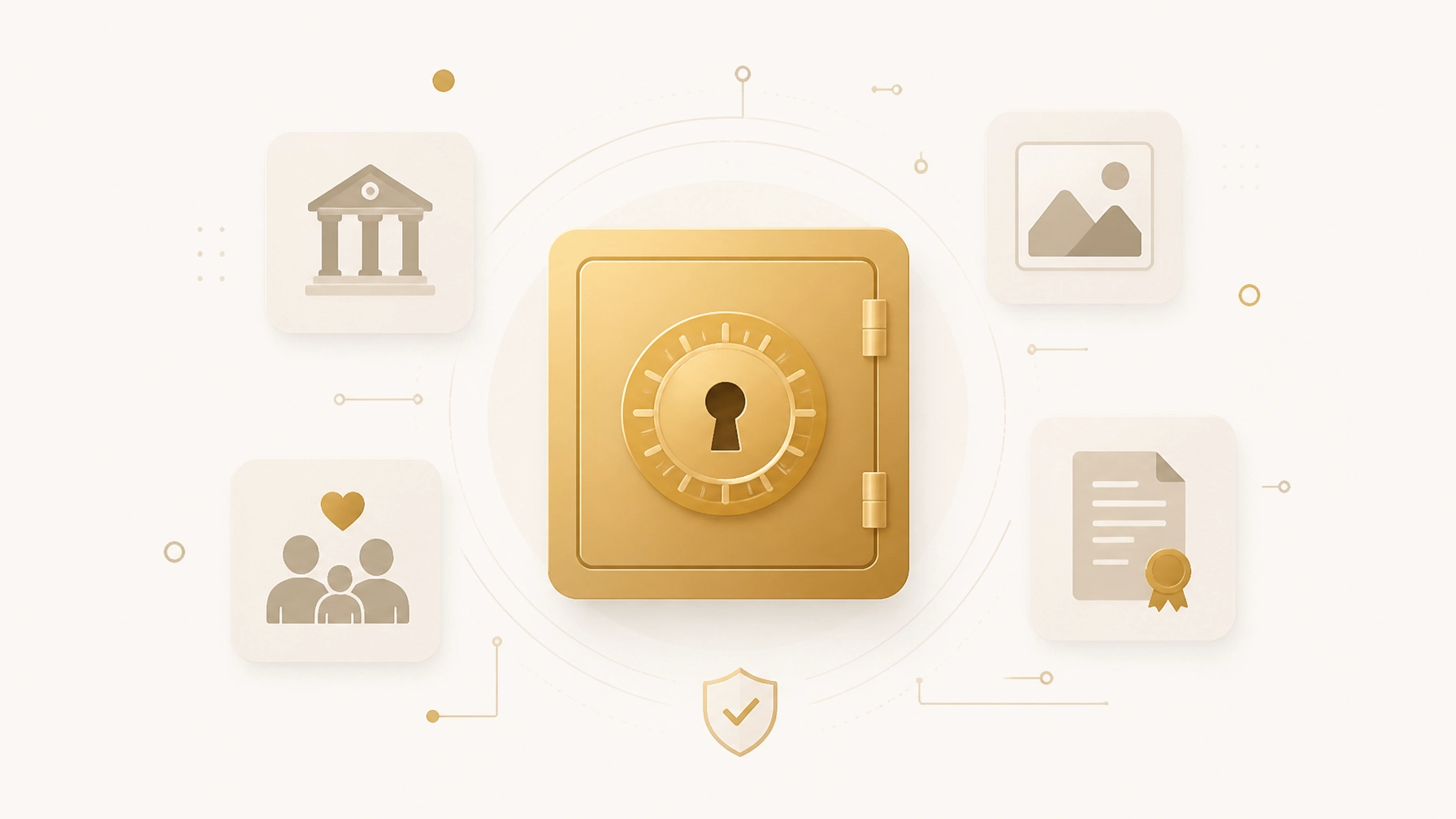
    Marketing graphic showing the AES-256 encryption and zero-knowledge security features.


    Step 4: Utilize "Live Links" for Instant Access

    One of the most frustrating parts of the "digital scavenger hunt" for heirs is not just the password: it’s the login page. Does your bank use a specific portal for estate executors? Where is the login for that domain registrar you haven't touched in three years?

    Every entry in the FinalKey Legacy Vault includes a Live Link. This is a direct URL to the login or portal page of the service.

    When your heir accesses the vault, they don't have to search Google for "How to close a [Bank Name] account." They simply click the link, use the provided credentials, and handle the business. This feature alone can save your family dozens of hours of administrative frustration.


    Step 5: Designate Your Digital Heirs

    A vault is a tomb if no one has the key. The final step in mapping your digital life is designating who gets access and under what conditions.

    Unlike traditional password managers that require a monthly subscription (and often lock the family out if the credit card on file expires after you pass), FinalKey Legacy Vault operates on a one-time payment model. This ensures your vault stays active and accessible when it is needed most, without the risk of account deletion due to a failed billing cycle.

    Action Plan (5 Minutes):

    1. Log into your FinalKey Legacy Vault.
    2. Navigate to the "Beneficiaries" tab.
    3. Add the email addresses of your trusted heirs or estate planner.
    4. Set the access parameters (e.g., immediate access or access after a verification period).

    The Digital Estate Checklist

    To ensure your map is complete, use this checklist during your next 10-minute session in the vault:

    • Primary Email: The "Master Key" to all other accounts.
    • Financial: All banks, credit cards, and investment portals.
    • Legal: Links to digital copies of your will and trust.
    • Home Security: Logins for cameras, smart locks, and utilities.
    • Social & Legacy: Instructions for Facebook Memorialization or Google Inactive Account Manager.

    A checklist graphic for digital estate planning.


    Frequently Asked Questions

    Q: Is the Email Scanner safe?
    A: Yes. The scanner uses Google OAuth, meaning we never see your email password. It only looks for "metadata" (sender and subject lines) to identify which services you use. It does not read your private messages.

    Q: Can’t I just use a regular password manager?
    A: Password managers are for you. FinalKey Legacy Vault is for them. Most password managers are difficult for heirs to navigate, lack categorization for legal documents, and can be deleted if the monthly subscription fails. FinalKey is a permanent, organized legacy solution.

    Q: How do I handle accounts with Two-Factor Authentication (2FA)?
    A: We recommend including instructions in your "Final Arrangements" drawer regarding your physical smartphone or hardware keys. This is a crucial step in organizing digital accounts after death.

    Q: What happens if I forget my master password?
    A: Because we are a Zero-Knowledge service, we cannot reset your password. We provide a Recovery Key during setup. Print this, put it in a physical safe, and tell your digital executor where it is.


    Stop the Scavenger Hunt Before It Starts

    Your legacy isn't just the money you leave behind: it’s the clarity you provide to the people you love. Mapping your digital life doesn't have to be a chore. With the FinalKey Legacy Vault Email Scanner, you can turn a mountain of unorganized accounts into a clear, secure roadmap in minutes.

    Don't leave your family in the dark. Organize your digital life today.
  • Do You Really Need a Digital Vault? The Truth About Apple and Google Legacy Settings

    Do You Really Need a Digital Vault? The Truth About Apple and Google Legacy Settings

    67% of your digital life is currently invisible to your heirs.

    Most people believe that if they’ve named a "Legacy Contact" on their iPhone or set up an "Inactive Account Manager" on Google, their digital estate is secure. They believe their family will have what they need to settle their estate, pay the final bills, and preserve their memories.

    They are wrong.

    While Apple and Google provide excellent baseline tools for their specific ecosystems, they are fundamentally designed to protect their data: not your entire life. Relying solely on these platform-specific tools is like locking the front door of your house while leaving the garage, the safe, and the windows wide open.

    If you passed away tomorrow, your family would likely enter a "digital scavenger hunt" that could last 18 months or more, involving expensive legal battles, locked bank accounts, and lost sentimental assets.

    In this guide, we will dismantle the myths surrounding "built-in" legacy settings and explain why a dedicated system like the FinalKey Legacy Vault is the only way to ensure your family isn't left in the dark.


    The Reality vs. The Myth: "Apple and Google Have Me Covered"

    The biggest misconception in digital estate planning is that platform legacy settings provide a "master key" to your digital life. They do not.

    The Platform Gaps

    • Apple Legacy Contact: Grants access to iCloud photos, messages, and notes. It does not give access to your Keychain (passwords), credit card info, or any non-Apple subscriptions.
    • Google Inactive Account Manager: Shares your Gmail and Drive content after a period of inactivity. It does not help with your bank accounts, your Shopify store, or your insurance policies.

    Without a centralized digital legacy service, your family is left to guess: Where did he keep his life insurance? What was the login for the mortgage portal? How do we access the company's Amazon AWS account?

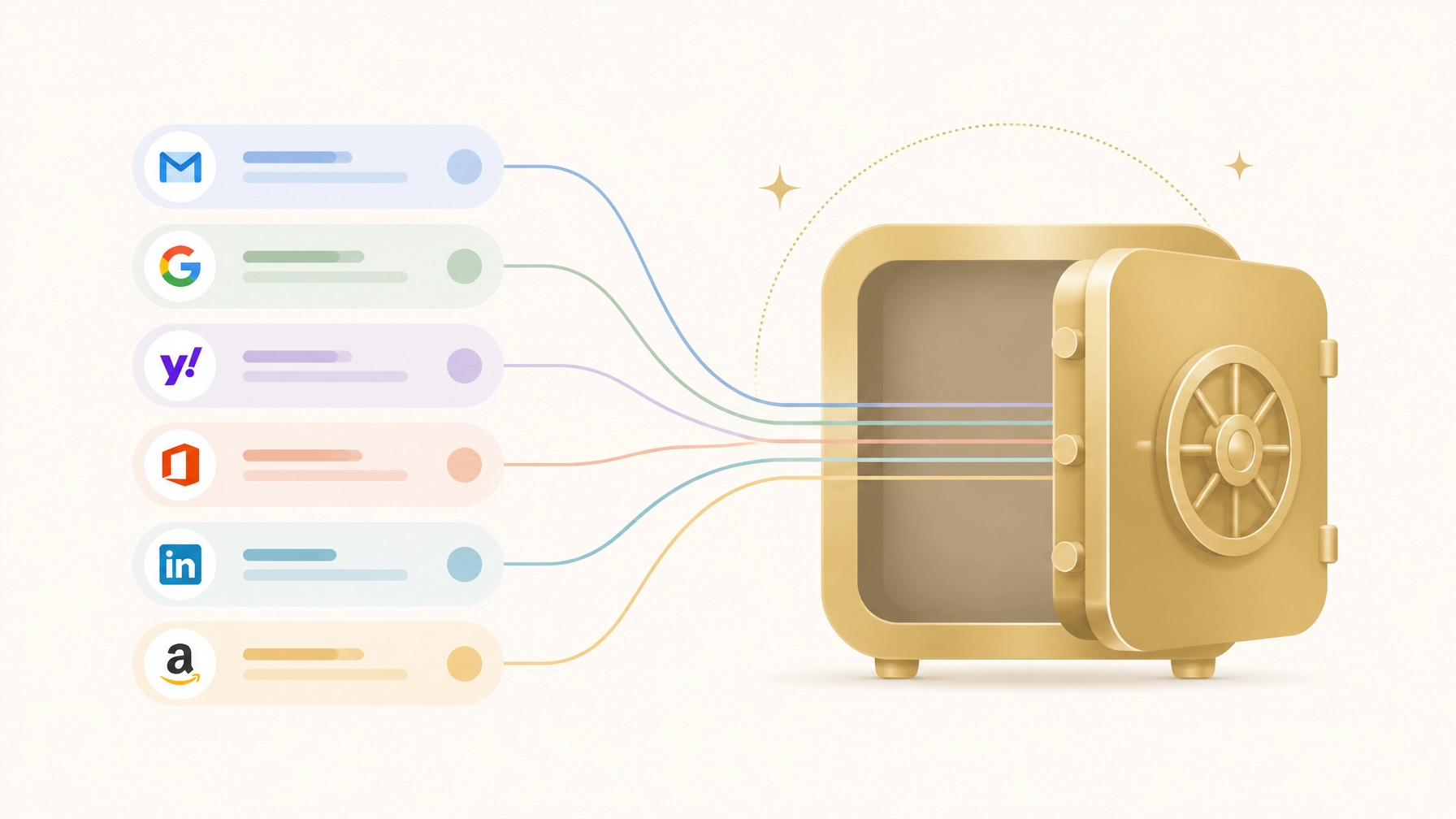
    A flat vector illustration comparing Apple, Google, and a central golden vault representing a comprehensive command center.


    🏦 Apple Legacy Contact: The "Sentimental" Solution

    Apple’s tool is excellent for preserving memories, but it is operationally paralyzed.

    How it works: You designate a contact who receives an "Access Key." Upon your death, they must submit that key along with a death certificate to Apple for manual review.

    The Problem:

    1. No Passwords: Apple explicitly excludes your iCloud Keychain. This means your family cannot log in to your bank, social media, or utility accounts using your saved credentials.
    2. No Financials: Your Apple Wallet and payment methods are wiped or locked.
    3. Manual Process: It requires a death certificate and a human review process, which can take weeks. This is too slow when a mortgage payment is due or a business server is about to go offline.

    📧 Google Inactive Account Manager: The "Waiting Game"

    Google’s approach is based on a "dead-man's switch" (inactivity).

    How it works: If you don’t log in for a set period (usually 3 to 18 months), Google emails your chosen contacts a link to download your data.

    The Problem:

    1. The 3-Month Lag: The minimum waiting period is 3 months. In the world of estate administration, 90 days of silence is catastrophic. Subscriptions auto-renew, debts accrue interest, and digital storefronts can be suspended.
    2. The "Google-Only" Lens: Google only knows about Google. It won't tell your family that you have $50,000 in a random high-yield savings account or a specific beneficiary designation on a life insurance policy.

    🔑 Why a Digital Vault is Non-Negotiable

    A digital vault serves as the "Command Center" for everything the big tech companies ignore. While Apple and Google manage their own silos, the FinalKey Legacy Vault organizes your entire digital infrastructure across 11 critical categories.

    1. Live Links: The End of the Scavenger Hunt

    Most password managers just give you a username and a password. FinalKey Legacy Vault provides "Live Links." When your heir accesses an entry for your Chase Bank account or your Shopify store, they don't just see the login: they get a direct link to the exact portal they need.

    2. Zero-Knowledge Security

    Unlike basic cloud storage, we use AES-256 encryption. This is "Zero-Knowledge," meaning FinalKey cannot see your data. Only you and your designated heirs have the keys. This is critical for securing digital assets like legal documents and financial keys.

    3. Comprehensive Automation

    Setup shouldn't take a weekend. Our Email Scanner uses Google OAuth to identify forgotten accounts: insurance, banks, and subscriptions: directly from your inbox. You can turn hundreds of scattered logins into an organized system in under 10 minutes.

    A minimalistic flat vector graphic of a digital dashboard with icons for banking, insurance, and legal, all connected by a golden link.


    The Comparison: What Happens When You Pass?

    Feature Apple / Google Settings FinalKey Legacy Vault
    Passwords / Keychain ❌ Blocked ✅ Shared via Encrypted Vault
    Financial Accounts ❌ Not Included ✅ Dedicated Financial Category
    Business Infrastructure ❌ Not Included ✅ Full Business Command Center
    Access Time ⚠️ Weeks to Months (Manual/Lag) ✅ Immediate (Upon Verification)
    Direct Portal Links ❌ No ✅ Yes (Live Links)
    Security ⚠️ Managed by Provider ✅ Zero-Knowledge AES-256

    💼 For Business Owners: The Stakes are Higher

    If you run an e-commerce store or a digital agency, your "digital estate" is actually your livelihood. Apple Legacy Contact won't help your partner access the domain registrar, the hosting provider, or the payment processor.

    The FinalKey Legacy Vault acts as a business continuity plan. It ensures that if something happens to you, your business infrastructure doesn't vanish. You can store everything from Shopify logins to Stripe API keys, ensuring a seamless handoff to a partner or heir.

    A minimalistic flat vector illustration of two hands meeting over a golden digital vault, symbolizing a seamless handoff.


    📝 Action Plan: Secure Your Legacy in 15 Minutes

    Don't leave your family to deal with "The Reality" of an unorganized digital estate. Follow this micro-guide:

    1. Audit Your Accounts (5 mins): Use our Digital Estate Checklist to see what's currently unprotected.
    2. Enable the Baselines (5 mins): Go ahead and set up your Apple Legacy Contact and Google IAM for your photos and emails. They are free and useful for sentimental data.
    3. Consolidate the Core (5 mins): Set up a FinalKey Legacy Vault. Use the Email Scanner to find your financial and insurance accounts instantly.
    4. Designate Your Heir: Choose one person you trust and give them access. They won't see anything now, but they will have the keys when they need them most.

    Frequently Asked Questions (FAQ)

    Is a digital vault better than a password manager?

    Most password managers are designed for you to use every day. They aren't designed for estate planning. FinalKey Legacy Vault is built specifically for heirs, organizing data into categories like "Final Arrangements" and "Legal Documents" that standard password managers ignore.

    Why not just write my passwords on a piece of paper?

    Paper is easily lost, stolen, or destroyed in a fire. More importantly, passwords change. FinalKey Legacy Vault stays updated and provides the "Live Links" your family needs to navigate the web, which a piece of paper cannot do.

    Is FinalKey a subscription service?

    No. Unlike competitors that charge expensive annual fees, FinalKey Legacy Vault operates on a one-time payment model. It is a permanent investment in your family's peace of mind.

    What is "Zero-Knowledge"?

    It means the encryption happens on your device. We never see your master password or your data. Even if our servers were breached, your information remains an unreadable scrambled mess to anyone but you and your heir.


    The most important thing you leave behind isn't money. It's clarity.

    Stop gambling with your family's future. Apple and Google provide the scrapbooks; FinalKey Legacy Vault provides the roadmap.

    Get Started with FinalKey Today

  • Identity Theft After Death: Why Your “Digital Footprint” Matters More Than You Think

    Identity Theft After Death: Why Your “Digital Footprint” Matters More Than You Think

    Most people spend their lives protecting their credit scores, locking their front doors, and setting up two-factor authentication on their bank accounts. But what happens to those defenses when you are no longer here to manage them?

    The reality is chilling: 2.5 million deceased Americans have their identities misused every year. Even more shocking is that roughly 800,000 of those individuals are specifically targeted because they are dead. This predatory practice is known as "Ghosting," and if you haven't organized your digital legacy, you are leaving your family a digital scavenger hunt that a criminal will likely solve before they do.

    The Hidden Epidemic of "Ghosting" 👻

    Identity theft doesn't stop when a heart does. In fact, for many cybercriminals, a death notice is a "green light." Why? Because a deceased person doesn't check their credit report. They don't notice a new credit card opened in their name, and they don't see the fraudulent tax return filed using their Social Security number.

    The Data-Driven Reality:

    • 25% of all stolen identities belong to deceased individuals.
    • Thieves can operate for months or even years before a family member discovers a bill or a collection notice.
    • 800,000 people are "ghosted" annually, purely because their information remains active and unmonitored online.

    When you die, your "digital footprint": the trail of accounts, social media profiles, and subscriptions you leave behind: becomes a playground for fraudsters. Without a centralized system like the FinalKey Legacy Vault, these accounts sit like unlocked doors in an abandoned building.

    How Thieves Exploit Your Digital Footprint

    Criminals don't need a master key to ruin an estate; they just need fragments of information that most people leave scattered across the internet.

    1. The Obituary Trap

    While an obituary is a beautiful way to honor a life, it is also a data mine for identity thieves. Details like your mother’s maiden name, your exact date of birth, and your home address are often used as security questions for account recovery.

    2. The Unclosed Email Account 📧

    Your email is the "skeleton key" to your entire digital life. If a thief gains access to your primary inbox because it wasn't secured or closed, they can trigger password resets for every financial, shopping, and social media account you ever owned.

    3. The Social Media "Memorial"

    Active social media profiles provide a wealth of Personal Identifiable Information (PII). From your high school name to your pet's name (common password hints), a criminal can piece together a full profile to impersonate you and even scam your grieving friends and family members.

    A comparison between a chaotic digital scavenger hunt and an organized FinalKey Legacy Vault

    The Cost of Inaction: More Than Just Money 💸

    Leaving your digital affairs in disarray isn't just a financial risk; it's an emotional burden on those you love most.

    The Reality of Inaction The Peace of Preparation
    Administrative Nightmare: Family spends 18+ months in probate and calling 50+ companies to close accounts. Instant Clarity: Heirs access the FinalKey Legacy Vault and see a complete list of accounts in 10 minutes.
    Financial Drain: Thieves open credit lines, draining the estate's value before heirs receive their inheritance. Immediate Lockdown: Family knows exactly which accounts to freeze or close immediately after passing.
    Emotional Distress: Family receives collection notices or finds fraudulent posts on the deceased's social media. Preserved Dignity: Accounts are memorialized or closed quickly, protecting the deceased's reputation.

    FinalKey Legacy Vault: Your Digital Defense System

    Protecting your legacy shouldn't be a full-time job. The FinalKey Legacy Vault was designed to turn a lifetime of scattered digital data into an organized, impenetrable system in under 10 minutes.

    How It Works:

    • The Email Scanner: Using Google OAuth, our scanner identifies forgotten bank accounts, insurance policies, and subscriptions hiding in your inbox. No more "guessing" what accounts you have.
    • Password Finder: Effortlessly import saved passwords from your browser into a secure, categorized system.
    • Live Links: We don’t just store data; we provide direct "Live Links" to the login portals. Your family won't have to search for where an account lives; they just click and go.

    FinalKey Vault graphic with the text YOUR LEGACY. SECURED.

    Zero-Knowledge Security 🔒

    At FinalKey, we believe your data belongs to you: and only you. We use AES-256 encryption, meaning your data is scrambled before it ever hits our servers. We cannot read your passwords, your bank details, or your personal documents. You hold the key.

    FinalKey Security and Access highlighting AES-256 encryption

    The Digital Estate Checklist: Take Action Today ⚖️

    Don't wait for a "someday" that might come too late. You can take the first step toward securing your digital legacy right now.

    Action Plan (5-Minute Guide):

    1. Inventory Your Assets: Use the FinalKey Digital Estate Checklist to identify which categories you need to secure first (Financial, Legal, Social, etc.).
    2. Scan Your Inbox: Run the FinalKey Legacy Vault email scanner to find those "ghost" accounts you haven't logged into for years.
    3. Assign a Beneficiary: Choose the person you trust to manage your vault. They will receive access only when it's necessary, ensuring your privacy while you're alive.
    4. Secure Your Business: If you own a Shopify store or an online business, ensure your partner has the Business Command Center access they need to keep the lights on.

    FinalKey Vault Drawers showing categories like Bank Accounts and Passwords

    Frequently Asked Questions

    Q: Isn't a Will enough?
    A: No. A Will is a public legal document that often takes weeks or months to process through probate. By the time a Will is executed, an identity thief could have already caused irreparable damage to your digital accounts. You need a private, immediate solution like the FinalKey Legacy Vault.

    Q: Is FinalKey just a password manager?
    A: No. While we organize passwords, we are a comprehensive legacy vault. We store 11 categories of assets, including insurance policies, final arrangements, home security codes, and even sentimental items like family recipes.

    Q: How much does it cost?
    A: Unlike our competitors who charge expensive monthly or annual subscriptions, we offer a one-time payment model. We believe your legacy shouldn't be held hostage by a recurring bill.

    Q: How does my family get in?
    A: You designate a "Keyholder" (beneficiary). After a verified waiting period or upon your passing, they are granted access to the vault so they can begin closing accounts and protecting your estate.

    Stop the "Ghosting" Before It Starts

    Your digital footprint is either a roadmap for your family or a treasure map for a criminal. By centralizing your life in the FinalKey Legacy Vault, you aren't just buying software; you are investing in the financial and emotional security of the people you love.

    Don't leave them with a scavenger hunt. Leave them with clarity.

    Start your vault today at FinalKey.polsia.app

  • The Business Owner’s Guide to Digital Handover (And Avoiding Chaos)

    The Business Owner’s Guide to Digital Handover (And Avoiding Chaos)

    If you vanished tomorrow, could someone else run your business?

    For the modern e-commerce founder, Shopify store owner, or digital marketer, the answer is usually a resounding "no." Your business doesn't live in a filing cabinet; it lives across dozens of browser tabs, two-factor authentication (MFA) apps, and personal email accounts.

    Without a clear "Digital Command Center," your business isn't an asset, it’s a digital scavenger hunt for your family or heirs. When you aren't there to provide the password or the SMS code, the very systems that generate your revenue can lock everyone out, leading to frozen payouts, expired domains, and total operational collapse.

    The Brutal Reality of Digital Succession

    The statistics on business continuity are a wake-up call for every entrepreneur:

    • Only ~30% of small businesses listed for sale ever find a buyer, often because the "digital keys" are too tangled to transfer cleanly.
    • Nearly 66% of family businesses lack a documented, communicated succession plan.
    • Only 9% of businesses have a formalized digital handover strategy.

    For an online business, "succession" isn't just a legal document, it’s a technical one. If your Shopify store is tied to your personal phone for 2FA, your death or incapacity could mean your family loses access to the storefront while orders continue to pile up and customers demand refunds you can't process.

    The Three Pillars of Your Business Infrastructure

    To avoid chaos, you must organize your digital life into three critical pillars. If any one of these is missing or inaccessible, the business dies with your access.

    1. The Revenue Engine (Payment Processors) 💳

    Your Stripe, PayPal, or merchant accounts are the lifeblood of your cash flow. These platforms have strict "Know Your Customer" (KYC) rules. If they detect a login from an unrecognized device or cannot verify the identity of the person trying to access the funds, they will freeze the balance.

    • The Risk: Funds sitting in rolling reserves or unclaimed balances can be lost for years in probate.

    2. The Digital Property (Domains & Hosting) 🌐

    Your domain name (e.g., yourbusiness.com) is your most valuable intellectual property. If the auto-renew fails because your personal credit card was canceled, your entire website, email system, and customer portal disappear overnight.

    • The Risk: Once a domain expires and enters the "redemption period," it can be nearly impossible (and incredibly expensive) to get back.

    3. The Growth Stack (Ad Platforms & CRM) 📈

    Your Meta Ads Manager, Google Ads, and Klaviyo/Mailchimp accounts hold years of optimization data and customer lists.

    • The Risk: These accounts are often "personally" owned by your social profile. If your personal Facebook account is memorialized or locked, the business's ad accounts can become "orphaned," wasting thousands in automated ad spend that no one can turn off.

    A contrast between digital chaos and the clarity of a single golden key.

    Why "Just Using a Password Manager" Isn't Enough

    Many business owners think they are prepared because they use a standard password manager. This is a dangerous misconception. Standard password managers solve for access, but they don't solve for instruction or continuity.

    The MFA Trap: Most password managers don't store your 2FA seeds or account recovery codes. If your family has your password but doesn't have your physical phone to receive the SMS code, they are still locked out.

    The Discovery Problem: Does your spouse know you have a separate hosting provider for your blog, a different one for your store, and a third for your email? A list of 200 passwords without context is just more noise during a crisis.

    The Solution: FinalKey Legacy Vault

    The FinalKey Legacy Vault is designed specifically to turn this chaos into a streamlined "Command Center." Unlike a standard vault, it is built with the "Direct Handover" in mind.

    FinalKey Business Command Center interface showing Shopify and Stripe integration.

    How FinalKey Solves the Business Handover:

    • Live Links: We don't just store the password. Every entry in your FinalKey Legacy Vault includes a direct link to the login or portal page. Your family doesn't have to guess where your domains are registered; they just click and log in.
    • Automated Discovery: Use our Email Scanner (via Google OAuth) to identify forgotten accounts like insurance, obscure SaaS tools, and old domains in under 10 minutes.
    • Zero-Knowledge Security: Your business data is encrypted with AES-256. Not even the FinalKey team can see your infrastructure. You own the keys.
    • One-Time Investment: Unlike expensive annual subscriptions that might lapse if your card is canceled, FinalKey offers a one-time payment structure. This ensures the vault stays open for your heirs when they need it most.

    The 10-Minute Digital Handover Action Plan

    Don't wait for a "worst-case scenario." Follow this micro-guide to secure your business infrastructure today:

    1. Run the Scanner: Connect your business email to the FinalKey Email Scanner to find every account you’ve ever signed up for.
    2. Identify the "Big Five": Ensure you have entries for your Domain Registrar, Web Host, Primary Email Admin, Payment Processor, and Main Ad Platform.
    3. Add "Successor Instructions": In the notes section of your FinalKey entries, add a simple one-sentence instruction (e.g., "Contact our account manager Sarah at Stripe if this account locks").
    4. Designate a Beneficiary: Use our Beneficiary Designation Guide to ensure your "Digital Executor" knows they have access to the vault.
    5. Download Your Checklist: Keep a physical or digital copy of our Digital Legacy Checklist to track your progress.

    Vault Overview showing categories like Passwords and Bank Accounts.

    The Cost of Inaction vs. The Value of Preparation

    "What happens to my digital accounts after I'm gone?" is a question most entrepreneurs ignore until it's too late. Without preparation, your business faces months of legal hurdles and potential liquidation. With a FinalKey Legacy Vault, you aren't just buying software; you are buying an insurance policy for your business's survival.

    Feature The Reality (No Plan) The Preparation (FinalKey)
    Access Time Weeks or Months (Legal/Probate) Minutes (Live Links)
    Security Shared passwords on sticky notes AES-256 Zero-Knowledge Encryption
    Continuity Revenue stops; accounts expire Business-as-usual for your heirs
    Cost Thousands in legal/lost revenue One-time affordable payment

    FinalKey Security and Encryption graphic.

    Frequently Asked Questions

    Q: Can't I just put my passwords in my Will?
    A: Myth Busted. A Will is a public document once it goes to probate. You should never put actual passwords in a Will. Furthermore, a Will doesn't provide the "Live Links" or the 2FA instructions needed to actually use the accounts.

    Q: Is FinalKey secure enough for my business logins?
    A: Yes. We use a zero-knowledge architecture. This means your data is encrypted on your device before it ever reaches our servers. We have no way to see or sell your business data.

    Q: What if I have hundreds of accounts?
    A: Our automation tools, including the Password Finder, help you import and organize hundreds of logins in minutes, categorizing them into our 11 asset categories.

    Q: Does my beneficiary need their own account?
    A: You can designate how your beneficiary accesses the vault. We provide clear paths for them to step in without needing to be a tech expert.

    The most important thing you leave behind is clarity.

    Your Business Deserves a Legacy, Not a Scavenger Hunt

    You've spent years building your business. Don't let a missing password or a locked iPhone be the reason it disappears. Secure your infrastructure, protect your family, and ensure your hard work lives on.

    Get Started with FinalKey Legacy Vault Today

  • 7 Mistakes You’re Making with Your Digital Assets (and How to Fix Them)

    7 Mistakes You’re Making with Your Digital Assets (and How to Fix Them)

    If you were to disappear tomorrow, would your family know how to log into your mortgage portal? Could they find your life insurance policy, or would your online business simply vanish into "digital purgatory"?

    Recent industry data suggests that 67% of digital assets are never inherited. We aren't just talking about your Facebook photos; we are talking about bank accounts, domain names, and investment portfolios. With the average person managing over 160 online accounts, the chances of your loved ones facing a "digital scavenger hunt" are dangerously high.

    Most people believe they are prepared because they have a will or a password notebook. The reality? Most traditional estate plans ignore the digital world entirely.

    Here are the 7 most common mistakes people make with their digital assets, and how you can fix them in under 10 minutes using the FinalKey Legacy Vault.


    1. The "Paper Notebook" Trap

    We've all seen it: the tattered spiral notebook hidden in a desk drawer filled with scratched-out passwords and cryptic hints.

    • The Problem: Paper is the ultimate single point of failure. It can be lost, stolen, or destroyed in a house fire. More importantly, it’s static. It doesn’t tell your family why an account matters or provide a direct link to the login page.
    • The Fix: Move your data into a secure, searchable environment. The FinalKey Legacy Vault acts as a centralized command center, turning a messy notebook into an organized system that your family can access from anywhere in the world.

    2. Relying on Browser-Only Passwords

    Storing passwords in Chrome, Safari, or Edge is convenient, but it's a security nightmare for your legacy.

    • The Problem: If your computer is locked or your browser profile isn't synced to a device your family can access, those passwords are gone. Furthermore, browser managers are frequent targets for malware.
    • The Fix: Use our Password Finder tool to import and organize your saved browser passwords into your encrypted vault. This ensures that even if your hardware fails, the keys to your kingdom remain safe.

    3. Ignoring "Subscription Sprawl"

    The average household spends thousands of dollars a year on forgotten subscriptions, streaming services, software, and memberships that continue to bill long after you're gone.

    • The Problem: Your family may not even know these accounts exist, leading to months of unnecessary charges against your estate.
    • The Fix: Our Email Scanner uses Google OAuth to scan your inbox, identifying forgotten accounts, insurance policies, and subscriptions in seconds. It builds your inventory for you, so nothing stays hidden.

    FinalKey Vault Drawers Overview - clean mobile interface showing categories like Final Wishes, Bank Accounts, and Passwords.

    4. Forgetting the "Live Link"

    Knowing a password is only half the battle. Your family needs to know where to use it.

    • The Problem: Searching for the correct login portal for an obscure life insurance company or a niche crypto exchange can take hours of frustration.
    • The Fix: Every entry in the FinalKey Legacy Vault includes Live Links. We provide a direct button to the login or portal page for every asset, eliminating the guesswork for your heirs.

    5. Leaving Your Online Business in Limbo

    For Shopify store owners, digital marketers, and e-commerce entrepreneurs, your digital assets are your business.

    • The Problem: Without a succession plan for your hosting, domain registrars, and payment processors (like Stripe), your business can go dark in a matter of days, destroying its resale value.
    • The Fix: Utilize our Business Command Center feature to group your professional infrastructure separately from your personal life, allowing for a seamless handoff to a partner or successor.

    FinalKey Business Command Center - showing how it handles Shopify, Stripe, and infrastructure logins.

    6. Sacrificing Privacy for Convenience

    Storing sensitive documents (like your will or trust) in a standard cloud drive like Google Drive or Dropbox leaves them vulnerable.

    • The Problem: Standard cloud providers can (and do) scan your files. In the event of a data breach, your most personal legal documents could be exposed.
    • The Fix: We use Zero-Knowledge Security. With AES-256 encryption, your data is encrypted before it leaves your device. We cannot read your data, and neither can anyone else. Your legacy remains truly private.

    FinalKey Security & Access - highlighting AES-256 encryption and zero-knowledge architecture.

    7. Falling for the "Subscription Fatigue" Trap

    Many digital legacy tools charge a recurring annual fee.

    • The Problem: If you stop paying the monthly fee, your data is often deleted or locked. You shouldn't have to "rent" your own legacy.
    • The Fix: FinalKey Legacy Vault offers a one-time payment structure. No recurring fees. No monthly bills. You pay once, and your vault is secured forever. It’s an investment in your family’s peace of mind, not another line item on your bank statement.

    Action Plan: Secure Your Legacy in 10 Minutes

    Don't let your digital life become a burden for your family. Follow this micro-guide to get started today:

    1. Inventory (3 Mins): Run the FinalKey Email Scanner to find your hidden accounts.
    2. Import (2 Mins): Use the Password Finder to sync your browser logins.
    3. Appoint (5 Mins): Designate your "Digital Heir" and give them the key to your vault.

    A minimalistic vector-style illustration of a stylized digital key being passed from one hand to another, symbolizing a legacy transfer.

    Frequently Asked Questions

    Q: Is FinalKey Legacy Vault the same as a password manager?
    A: No. While we store passwords, we are a comprehensive digital legacy tool. We organize 11 categories of assets, including legal documents, insurance policies, and even sentimental items like family recipes.

    Q: What happens if I lose my master key?
    A: Because we use zero-knowledge encryption, we cannot reset your password. However, we provide a physical "Recovery Key" during setup that you should store in a safe place (like a physical safe or with your attorney).

    Q: Can I store physical asset locations?
    A: Yes! You can use the vault to note the location of physical keys, safe deposit boxes, and even the "hidden" location of your emergency cash or silver.

    Q: How do my heirs get access?
    A: You can set up a "Beneficiary" who will receive access instructions only when you decide: or through a timed release mechanism if you are incapacitated.


    Ready to Secure Your Digital Legacy? 🔐

    Your accounts, documents, subscriptions, and business systems will not organize themselves. If you wait, your family pays the price in stress, delays, and lost assets.

    Take action now with the FinalKey Legacy Vault.

    Secure Your Digital Legacy with FinalKey Legacy Vault

    Stop leaving your family's future to chance. Secure your digital world today with the FinalKey Legacy Vault.

  • Looking For a Secure Online Vault? Here Are 10 Things You Should Know Before You Choose

    Looking For a Secure Online Vault? Here Are 10 Things You Should Know Before You Choose

    Most people don’t realize they are leaving behind a "Digital Scavenger Hunt" for their families. Between hidden bank accounts, forgotten subscriptions, and encrypted cloud storage, your digital footprint is likely scattered across hundreds of different platforms.

    If something happened to you tomorrow, could your spouse or children access your life’s work? Or would they be locked out, forced to navigate months of probate and legal red tape just to close an Amazon account?

    Choosing a secure online vault is one of the most critical financial decisions you will make this year. But not all vaults are created equal. Many "solutions" are actually security risks in disguise or expensive subscription traps.

    Before you trust a platform with your entire legacy, here are the 10 non-negotiable criteria you must evaluate.


    1. AES-256 Military-Grade Encryption 🛡️

    Security starts with encryption. You should settle for nothing less than AES-256 bit encryption. This is the same standard used by the U.S. government and top-tier financial institutions to protect classified information.

    The Reality: Without this level of protection, your sensitive documents, wills, bank details, and social security numbers, are vulnerable to brute-force attacks. The FinalKey Legacy Vault uses AES-256 as its baseline, ensuring that your data is mathematically impossible to crack with current technology.

    2. Zero-Knowledge Architecture 🔑

    This is the most important term you need to know. A "Zero-Knowledge" vault means that the service provider (the company) has zero access to your data.

    • How it works: Your data is encrypted on your device before it ever reaches the server.
    • Why it matters: If the company is ever hacked, the hackers get nothing but gibberish. If a government agency subpoenas your records, the company literally cannot hand them over because they don't have the keys.

    FinalKey Security featuring AES-256 and zero-knowledge architecture

    3. Pricing: One-Time Payment vs. Subscription Bleed 💰

    Most digital vaults operate on a subscription model, charging you $10–$30 every single month for the rest of your life.

    The Common Mistake: Thinking a $10/month fee is "cheap." Over 30 years, that is $3,600 spent on a simple storage tool. Worse, if you stop paying, your family loses access to the vault.

    The FinalKey Legacy Vault disrupts this model with a one-time payment structure. You pay once, and your vault is secured forever. No recurring fees, no subscription fatigue.

    4. Setup Speed: The "10-Minute" Rule ⏱️

    Most people abandon digital estate planning because it feels like a second job. If a vault requires you to manually type in every single account, password, and policy, you will never finish it.

    Look for a solution that automates the heavy lifting. FinalKey Legacy Vault features an Email Scanner that uses Google OAuth to identify forgotten accounts and an integrated Password Finder. You can go from a "digital mess" to a "fully organized vault" in under 10 minutes.

    5. Categorization: Beyond Just Passwords 📂

    A secure vault shouldn't just be a password manager. It needs to hold your entire life. Look for a system that offers structured "drawers" for:

    • Financial & Bank Accounts
    • Insurance Policies
    • Legal Documents (Wills, Trusts)
    • Final Arrangements & Memorial Wishes
    • Online Business Infrastructure
    • Home Security Codes

    FinalKey Vault categories like Final Wishes and Bank Accounts

    6. Live Links: The "Direct Portal" Advantage 🔗

    Having a list of accounts is only half the battle. When a family member is in a state of grief, they shouldn't have to search Google for "How to log into [Bank Name] portal."

    The FinalKey Difference: Every entry in the FinalKey Legacy Vault includes Live Links. Your heirs click a button and are taken directly to the exact login page they need. It eliminates friction when time and clarity are of the essence.

    7. Legacy Access & The "Death Certificate" Workflow ⚖️

    A vault that is too secure can become a digital tomb. You need a platform that has a defined, legal process for handing off access to your heirs.

    You should be able to designate Trusted Contacts who can request access. The system then follows a strict verification process (often involving a waiting period or the submission of legal documentation) to ensure your data only moves into the right hands. You can learn more about how this works in our guide to digital accounts after death.

    8. Business Command Center Capabilities 🏢

    If you are an online business owner (Shopify, e-commerce, digital marketing), your business is an asset that needs protection.

    A standard family vault often can't handle the complexity of hosting logins, ad platforms, and payment processors. You need a "Command Center" that allows for a seamless hand-off to a business partner or heir so the company doesn't collapse the moment you're not at the keyboard.

    FinalKey Business Command Center for Shopify and infrastructure logins

    9. Ease of Use for Heirs (The Stress Test) 🧠

    Your vault is for them, not just for you. If the interface is too technical, your non-tech-savvy spouse or elderly parents will struggle to use it during a crisis.

    The Preparation: Choose a vault with a clean, intuitive UI. If they can use a smartphone, they should be able to navigate your legacy. Use our estate planning checklist to see if you've missed any key areas your heirs will need.

    10. Data Ownership & Portability 📥

    You should never be "locked in." A reputable vault allows you to export your data in a readable format at any time. You should retain 100% ownership of your information. If you decide to move your data elsewhere, the process should be as simple as a few clicks.


    The Reality vs. The Preparation

    Feature The "Reality" (No Preparation) The Preparation (FinalKey Legacy Vault)
    Account Discovery Family spends months searching mail. Automated scanner finds everything in 10 mins.
    Access Speed Years in probate or locked devices. Instant access for verified heirs.
    Cost Thousands in legal fees and subscriptions. One-time affordable payment.
    Organization Scraps of paper and sticky notes. 11 specialized categories with Live Links.

    Frequently Asked Questions

    Is a digital vault better than a will?
    A will is a legal document that dictates who gets what, but it doesn't provide the keys. A FinalKey Legacy Vault works alongside your will to provide the actual access your family needs to execute your wishes.

    Can FinalKey see my passwords?
    No. Thanks to our Zero-Knowledge Architecture, your data is encrypted before it leaves your browser. Only you and your designated heirs hold the keys.

    What happens if I forget my master password?
    Because we are a zero-knowledge service, we cannot reset your password for you. However, we provide secure recovery protocols and encourage you to share access with a trusted heir to ensure the vault is never permanently locked.

    Does this cover physical assets?
    While the vault is digital, you can use it to store locations of physical items (e.g., "The key to the safe deposit box is under the false bottom of the desk drawer").


    Action Plan: Secure Your Legacy in 10 Minutes

    1. Stop the Leak: Identify which of your accounts currently have no "backup" person.
    2. Choose a One-Time Solution: Avoid the subscription trap.
    3. Run the Scanner: Use the FinalKey Legacy Vault email scanner to map your digital life.
    4. Assign Your Heirs: Choose at least two trusted contacts today.

    The most important thing you leave behind isn't money. It's clarity.

    Don't leave your family with a digital scavenger hunt. Invest in clarity today.


    Ready to Secure Your Digital Legacy? 🔐

    What happens without a plan is simple: your family is left guessing. Accounts get missed. Bills keep charging. Important records stay locked behind login screens.

    The fix is simple. Put everything in one secure place now, before your family has to deal with the fallout later.

    Secure your digital legacy today with the FinalKey Legacy Vault.
    Organize your accounts, protect your passwords, and give your loved ones clarity when they need it most.

    Get Started with FinalKey Legacy Vault →

    Explore the FinalKey Legacy Vault →

  • Digital Estate Planning 101: A Beginner’s Guide to Mastering the FinalKey Legacy Vault

    Digital Estate Planning 101: A Beginner’s Guide to Mastering the FinalKey Legacy Vault

    If you were to disappear tomorrow, would your family know how to access your mortgage portal? Could they find your life insurance policy, or would they be forced to spend months digging through your physical mail?

    In 2026, the average American values their digital assets at $191,516, yet a staggering 48% of people have zero instructions in place for their digital accounts. This creates what we call the "digital scavenger hunt", a stressful, expensive, and often failed mission where grieving family members try to piece together your financial life from a locked smartphone.

    Without a plan, your family faces a probate process that can consume up to 10% of your estate value and take upwards of 24 months to resolve. This guide is your wake-up call and your roadmap to ensuring that never happens.

    The Reality vs. The Preparation

    The difference between chaos and clarity is often just a single secure link.

    The Reality (Without Planning) The Preparation (With FinalKey Legacy Vault)
    Scavenger Hunt: Family spends months searching for logins and accounts. Instant Access: One master key provides immediate access to everything.
    Lost Assets: Dormant bank accounts or crypto go unclaimed forever. Total Visibility: Every asset is categorized and accounted for.
    Legal Red Tape: Families spend $40,000+ in legal fees to bypass passwords. Direct Handover: "Live Links" take heirs directly to account portals.
    Emotional Stress: Grieving heirs fight over "who has the password." Peace of Mind: You’ve left a clear, organized "Digital Command Center."

    Myth-Busting: Why Your Will Isn’t Enough

    A common misconception is that a traditional will covers your digital life. It does not.

    A will is a public document that goes through a slow court process called probate. It does not contain passwords, and by the time a will is read, your online accounts may have already been flagged as "inactive" or deleted.

    The FinalKey Legacy Vault is designed to work alongside your estate plan as a living, encrypted repository that holds the keys to your kingdom, the specific logins, links, and documents that a lawyer can’t help your family find at 2 AM.

    Overview of FinalKey Vault categories including financial and personal assets

    Mastering the Features: How FinalKey Legacy Vault Works

    We didn’t build another complicated spreadsheet. We built a system that automates the "boring" work of organizing your life so you can finish your digital estate plan in under 10 minutes.

    1. The Email Scanner (Automation)

    Most people have forgotten 60% of the accounts they actually own. Our Email Scanner uses secure Google OAuth to scan your inbox for account creation emails and monthly statements. It automatically identifies:

    • Bank and Brokerage Accounts 🏦
    • Life Insurance Policies 📜
    • Subscription Services 📺
    • Home Security and Utilities 🏠

    Instead of manually typing in 50 different accounts, the scanner populates your vault for you.

    2. The Password Finder

    Stop writing passwords in a notebook that can be lost or stolen. Our Password Finder imports your saved browser passwords and organizes them into the 11 core categories of the vault. Whether it’s your Shopify store login or your secondary checking account, everything is neatly filed.

    3. Live Links: The Ultimate USP

    Searching for "where" to log in is half the battle. Every entry in the FinalKey Legacy Vault includes a Live Link. When your beneficiary accesses your vault, they don't have to Google "where is my husband's life insurance portal." They click the link, and they are taken directly to the login page. It’s the difference between a map and a teleportation device.

    FinalKey Business Command Center for online business owners

    Security That Protects You (and Us)

    We believe you shouldn't have to trust a human with your most sensitive data. That’s why the FinalKey Legacy Vault is built on Zero-Knowledge Security.

    • AES-256 Encryption: We use the same encryption standard used by the military.
    • Zero-Knowledge Architecture: Your data is encrypted on your device before it ever reaches our servers. We do not have the keys to your vault. If we were subpoenaed, we would have nothing to give because we literally cannot read your data.

    This ensures that your private documents, from your beneficiary designations to your digital account instructions, remain for your family's eyes only.

    Visual showing AES-256 encryption and zero-knowledge security

    One-Time Investment, Not a Subscription

    The "Subscription Economy" is exhausting. Most digital legacy tools charge $100–$300 per year, forever. If you stop paying, your family loses the data.

    FinalKey Legacy Vault operates on a one-time payment model. You pay once, and your vault is yours for life. We believe your legacy isn't something you should have to rent.


    🔑 Action Plan: The 10-Minute Setup

    Ready to stop the scavenger hunt? Follow these steps today:

    1. Step 1: Connect the Scanner (3 Mins). Use our Google-integrated scanner to find your "ghost" accounts.
    2. Step 2: Sync Passwords (2 Mins). Use the password export guide to bring your logins into the vault.
    3. Step 3: Assign a Legacy Contact (2 Mins). Choose the person who will receive the "Key" if something happens to you.
    4. Step 4: Check the Big Items (3 Mins). Use our Digital Estate Planning Checklist to ensure you haven't missed your life insurance or business infrastructure.

    Frequently Asked Questions

    Q: What happens if I lose my Master Password?
    Because we are a zero-knowledge platform, we cannot reset your password. However, we provide a physical "Emergency Recovery Key" when you sign up. Print it, put it in a safe, and you'll never be locked out.

    Q: Does this replace my lawyer?
    No. This complements your lawyer. Your lawyer handles the legal distribution of assets; FinalKey Legacy Vault handles the logistical access to those assets.

    Q: Can I use this for my Shopify or Amazon business?
    Yes. In fact, many of our users are online business owners who use the vault as a "Business Command Center" to ensure their partners can keep the business running if they are incapacitated.

    Q: Is it hard to update?
    Not at all. Whenever you change a password or open a new account, the vault is designed for quick, one-click updates.


    Secure Your Digital Legacy Today

    The worst time to organize your digital life is after a crisis. The right time is now.

    Start Your FinalKey Legacy Vault →

    Make a one-time investment that protects your family from confusion, delays, and lost accounts.

    Don't leave your family with a digital mess. Start your FinalKey Legacy Vault today and turn a lifetime of scattered data into a single, secure legacy.

  • How to Secure Digital Assets and Stop the “Digital Scavenger Hunt” Before it Starts

    How to Secure Digital Assets and Stop the “Digital Scavenger Hunt” Before it Starts

    The digital legacy market is projected to skyrocket from $15.11 billion in 2025 to $62.60 billion by 2035. This isn't just a tech trend: it’s a response to a growing crisis. For most families, the aftermath of losing a loved one is complicated by a modern nightmare: the "digital scavenger hunt."

    While traditional estate planning focuses on physical assets like homes and jewelry, our digital lives: bank accounts, insurance policies, cloud photos, and business logins: are often left in a fragmented mess. Without a clear plan, your family is left guessing usernames, trying old passwords, and battling customer support teams just to access what is rightfully theirs.

    The stakes are high. Lost access means lost memories, unpaid bills, and potential identity theft. But it doesn't have to be this way. You can end the scavenger hunt before it starts.

    The Reality: Why a Will is No Longer Enough

    Most people believe a traditional will covers everything. The legal reality is different. Privacy laws and terms of service agreements often prevent families from accessing digital accounts, even with a death certificate in hand.

    Without a dedicated digital estate checklist, your heirs will spend an average of 12 to 18 months navigating the "dispossessing" stage of your estate: figuring out what exists, what to delete, and what to save.

    Comparison of a messy digital scavenger hunt versus an organized vault list

    What Happens Without Preparation?

    • Administrative Overload: Your spouse or children must contact dozens of platforms individually.
    • Emotional Strain: Treasured family photos remain locked in a cloud drive with no recovery path.
    • Financial Risk: Ongoing subscriptions continue to drain accounts, and hidden insurance policies go unclaimed.
    • Identity Theft: Unattended social media and email accounts become prime targets for hackers.

    The Solution: Automating Your Digital Legacy

    At FinalKey Legacy Vault, we believe protecting your family shouldn’t take weeks of manual data entry. We’ve designed a system that turns a mountain of scattered logins into a organized command center in under 10 minutes.

    1. The Email Scanner: Discover Forgotten Accounts 🕵️‍♂️

    Most of us have 100+ accounts we’ve forgotten about. Using secure Google OAuth, our Email Scanner identifies and categorizes these accounts (banks, insurance, subscriptions) directly from your inbox. It eliminates the "I didn't even know they had an account there" problem for your heirs.

    2. The Password Finder: Instant Organization 🔑

    Our tool imports and organizes your saved browser passwords, placing them into 11 secure categories: from financial accounts to final arrangements and memorials.

    3. The USP: Live Links 🔗

    The biggest hurdle for families isn't just the password; it's finding where to log in. FinalKey Legacy Vault entries include Live Links. Your family doesn't have to search Google for "Life Insurance Portal Login": they simply click the link in your vault and they are exactly where they need to be.

    FinalKey marketing graphic with a golden vault and the text

    Security That Gives You Peace of Mind

    When you store your entire life in one place, security is the only thing that matters. FinalKey Legacy Vault is built on a Zero-Knowledge architecture.

    • AES-256 Encryption: We use the same standard as banks and military organizations.
    • We Can’t See Your Data: Your master key is never stored on our servers. This means even if FinalKey Legacy Vault were compromised, your data remains an unreadable scramble of characters.
    • Direct Control: You decide exactly who gets access and when.

    A minimalist flat illustration of a digital shield with a gold keyhole representing security

    An Investment, Not a Subscription

    The digital legacy industry is filled with expensive annual fees. We believe your legacy shouldn't have a "pay-to-play" expiration date.

    FinalKey Legacy Vault offers a one-time payment model. You pay once, secure your vault, and it stays protected forever. This prevents the "subscription trap" where your legacy plan disappears if a monthly payment fails after you've passed.

    "The most important thing you leave behind isn't money. It's clarity."
    Marketing text:

    🏁 Action Plan: Your 10-Minute Fix

    Don't let your family face a scavenger hunt. Take these three steps today:

    1. Run the Scanner: Connect your email to FinalKey Legacy Vault and let the AI find your hidden accounts.
    2. Assign a Beneficiary: Use our guide on beneficiary designations to ensure the right person has emergency access.
    3. Add Your Business "Command Center": If you own a Shopify store or an online business, add your hosting and domain logins so your business can continue without interruption.

    Frequently Asked Questions

    Q: Can't I just write my passwords in a notebook?
    A: You could, but notebooks get lost, fire-damaged, or outdated. FinalKey Legacy Vault’s Live Links and automated scanning ensure your information is always current and accessible from anywhere.

    Q: What if I forget my master password?
    A: Because of our zero-knowledge security, we cannot reset your password. However, we provide secure recovery "emergency keys" during setup that you can store in a physical safe or with a lawyer.

    Q: Is it hard to set up?
    A: Most users complete their vault in under 10 minutes thanks to our automation tools. It’s a small investment of time for a lifetime of family protection.

    Q: How do my heirs get access?
    A: You designate "Legacy Contacts." If something happens to you, they can request access. Our system follows a secure verification protocol before releasing the vault contents to ensure your privacy is respected.


  • 5 Steps to Create a Digital Estate Checklist (Easy Guide for Families)

    Losing a loved one is hard enough. Finding their accounts shouldn't be. Most families spend months in a 'digital scavenger hunt' trying to figure out where money is kept and how to close subscriptions. Here is your 5-step guide to organizing your digital life with FinalKey Legacy Vault.

    Step 1: Inventory Your Financial Footprint 🏦

    The biggest hurdle is simply knowing what exists. Use our Email Scanner to securely scan your inbox. It will identify banks, insurance providers, and investment platforms you might have forgotten.

    • Action: Categorize these in your vault so heirs have a complete map of your assets.

    Step 2: Organize Your Legal & Personal Infrastructure ⚖️

    Your Will is just a piece of paper if your family can't find it. Upload digital copies of your Will, insurance policies, and business credentials.

    • Action: Ensure these documents are in the 'Legal' category of your FinalKey Legacy Vault.

    Step 3: Preserve Your Digital Memories 📸

    Social media platforms and cloud drives often lock family members out.

    • Action: Set up 'Legacy Contacts' on Google and Meta, and store the recovery codes in your vault.

    Step 4: Centralize with 'Live Links' 🔑

    A list of accounts isn't enough. Your family needs to know where to log in.

    • The Solution: Every entry in FinalKey Legacy Vault includes a Live Link—a direct URL to the login page. No searching required.

    Step 5: Secure the Handoff (Zero-Knowledge) 🛡️

    Security is paramount. Our vault uses Zero-Knowledge AES-256 encryption, meaning only you and your designated heirs have the key.

    • Action: Designate your beneficiaries today to ensure a seamless transition.

    Frequently Asked Questions

    Q: Is FinalKey Legacy Vault safe?
    A: Yes, we use zero-knowledge encryption so we can never see your data.
    Q: Is there a monthly fee?
    A: No, we offer a simple one-time payment for a lifetime of security.

  • What Happens to Your Social Media? A Guide to Legacy Contacts and Digital Memories

    Every month, more than 30 million people visit memorialized profiles on Facebook alone. 🏦 Your social media isn’t just a collection of apps; it is the modern-day equivalent of a photo album, a diary, and a professional portfolio rolled into one.

    Yet, most people leave these accounts in a state of "digital limbo." Without a plan, your family could be locked out of your photos forever, or worse, your profile could remain "live," sending automated birthday reminders to grieving friends for years.

    In this guide, we’ll break down exactly how major platforms handle your data after you're gone and how you can use FinalKey Legacy Vault to turn a potential digital scavenger hunt into a clear, organized legacy.

    The Reality: What Happens If You Do Nothing?

    Without proactive setup, your digital footprint becomes a legal and technical nightmare for your survivors. ⚖️ Most platforms’ Terms of Service explicitly prohibit sharing passwords, even with family members.

    Platform Default Action Difficulty to Resolve
    Facebook Remains active until reported Medium (Requires Death Certificate)
    Instagram Remains active until reported High (No "Legacy Contact" tool)
    Google Account deleted after inactivity Very High (Data lost forever)
    LinkedIn Remains active indefinitely High (Requires formal request)

    The common mistake: Assuming your family can just "figure it out" with your phone passcode. If your phone is lost, wiped, or locked by biometrics, those accounts, and the memories inside them, could be gone for good.

    Platform-by-Platform Guide to Legacy Settings

    1. Facebook: The Legacy Contact 🔑

    Facebook is one of the few platforms with a robust legacy system. You can appoint a "Legacy Contact" who can manage your profile after it’s memorialized.

    • What they can do: Change your profile picture, respond to new friend requests, and write a pinned post (like funeral details).
    • What they can’t do: Read your private messages or log in as you.
    • Action Plan: Go to Settings & Privacy > Account Center > Personal Details > Account Ownership and Control.

    2. Google: The Inactive Account Manager 📩

    Google (Gmail, Photos, Drive, YouTube) uses an "Inactive Account Manager." Think of this as a "dead man's switch."

    • How it works: If you don't log in for a set period (e.g., 3 months), Google automatically notifies your chosen contacts and gives them a link to download your data.
    • Why it's vital: This is often the only way for families to recover precious photos or access financial documents stored in Drive.

    3. Instagram & LinkedIn: The Dead Ends 🛑

    Neither Instagram nor LinkedIn currently offers a legacy contact feature.

    • Instagram: The account can be memorialized or deleted, but no one can manage it or post updates.
    • LinkedIn: The profile stays frozen as a professional record.
    • The Fix: Since there is no "Legacy Contact," you must store your login credentials and specific instructions in a secure vault like FinalKey Legacy Vault.

    FinalKey Vault Drawers Overview - clean mobile interface showing categories like Final Wishes, Bank Accounts, and Passwords.

    How FinalKey Legacy Vault Solves the "Digital Scavenger Hunt"

    While individual platforms have their own settings, managing them all is a fragmented mess. FinalKey Legacy Vault was built to be your digital command center. Instead of forcing your family to navigate ten different "memorialization request" forms, you provide them with a single, encrypted key.

    🚀 Live Links: No More Searching

    Every entry in your FinalKey Legacy Vault includes Live Links. When your designated beneficiary accesses your "Social Media" category, they don't just see a username; they see a direct link to the platform’s login or memorialization page.

    🛡️ Zero-Knowledge Security

    We believe your privacy is a right, even after death. FinalKey Legacy Vault uses AES-256 encryption. We cannot see your passwords, and neither can hackers. Your data is encrypted with your own credentials, ensuring that only the people you choose can ever unlock the vault.

    ⚡ 10-Minute Setup

    You don't need hours to get organized. Our Email Scanner (via Google OAuth) identifies your accounts for you, and our Password Finder imports your saved browser logins instantly.

    A minimalistic, modern vector illustration comparing chaos and order. On one side, a tangled mess of grey lines and broken icons. On the other side, a perfectly organized golden grid of social media icons. The style is flat, simple geometry.

    Myth-Busting: "My Will Covers My Social Media"

    This is a dangerous misconception. A traditional will is a public document once it hits probate. 📑 Listing your passwords in a will is like shouting your credit card number in a crowded room.

    Furthermore, most probate processes take 12–18 months. In that time, an inactive Google account might have already been auto-deleted, or a hacked Instagram account could be used to scam your followers. Digital assets require immediate access, which a will simply cannot provide.

    Micro-Guide: Your 5-Minute Action Plan 📝

    Do these three things today to protect your digital legacy:

    1. Appoint a Facebook Legacy Contact: It takes 60 seconds and prevents your profile from being a target for hackers after you're gone.
    2. Toggle Google’s Inactive Account Manager: Set your "wait period" to 3 or 6 months.
    3. Centralize in FinalKey Legacy Vault: Create your account at finalkey.polsia.app and use the Password Finder to populate your Social Media category.

    FinalKey Security & Access - highlighting AES-256 encryption and zero-knowledge architecture.

    Frequently Asked Questions

    Q: Can't I just write my passwords on a piece of paper?
    A: You can, but paper gets lost, burned, or stolen. More importantly, paper doesn't have "Live Links." Your family will still have to figure out where to go to use those passwords. FinalKey Legacy Vault provides the password and the destination.

    Q: Does FinalKey Legacy Vault charge a monthly fee?
    A: No. We believe legacy planning shouldn't be an expensive tax on your family. We offer a one-time payment structure for the vault, making it an investment in clarity, not a recurring burden.

    Q: Is "Zero-Knowledge" actually safe?
    A: It’s the gold standard. It means that even if a government agency or a rogue employee at FinalKey Legacy Vault wanted to see your data, they couldn't. The "key" to the encryption is held only by you.

    The Bottom Line

    The most important thing you leave behind isn't money. It's clarity. 🕯️ Don't leave your family to guess which accounts you had or struggle with tech support during their time of grief.

    Secure your digital legacy today. Visit FinalKey Legacy Vault to start your 10-minute setup.